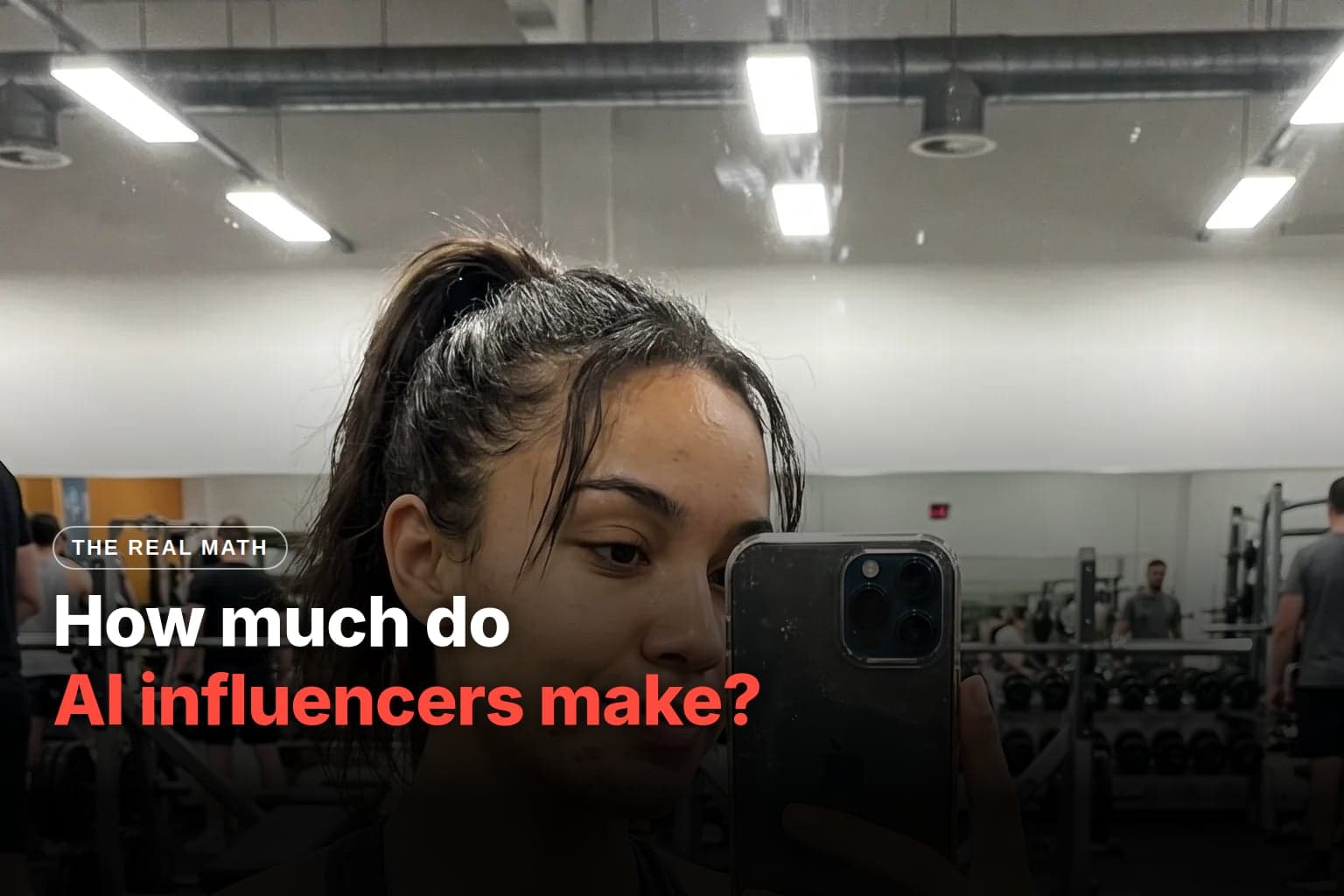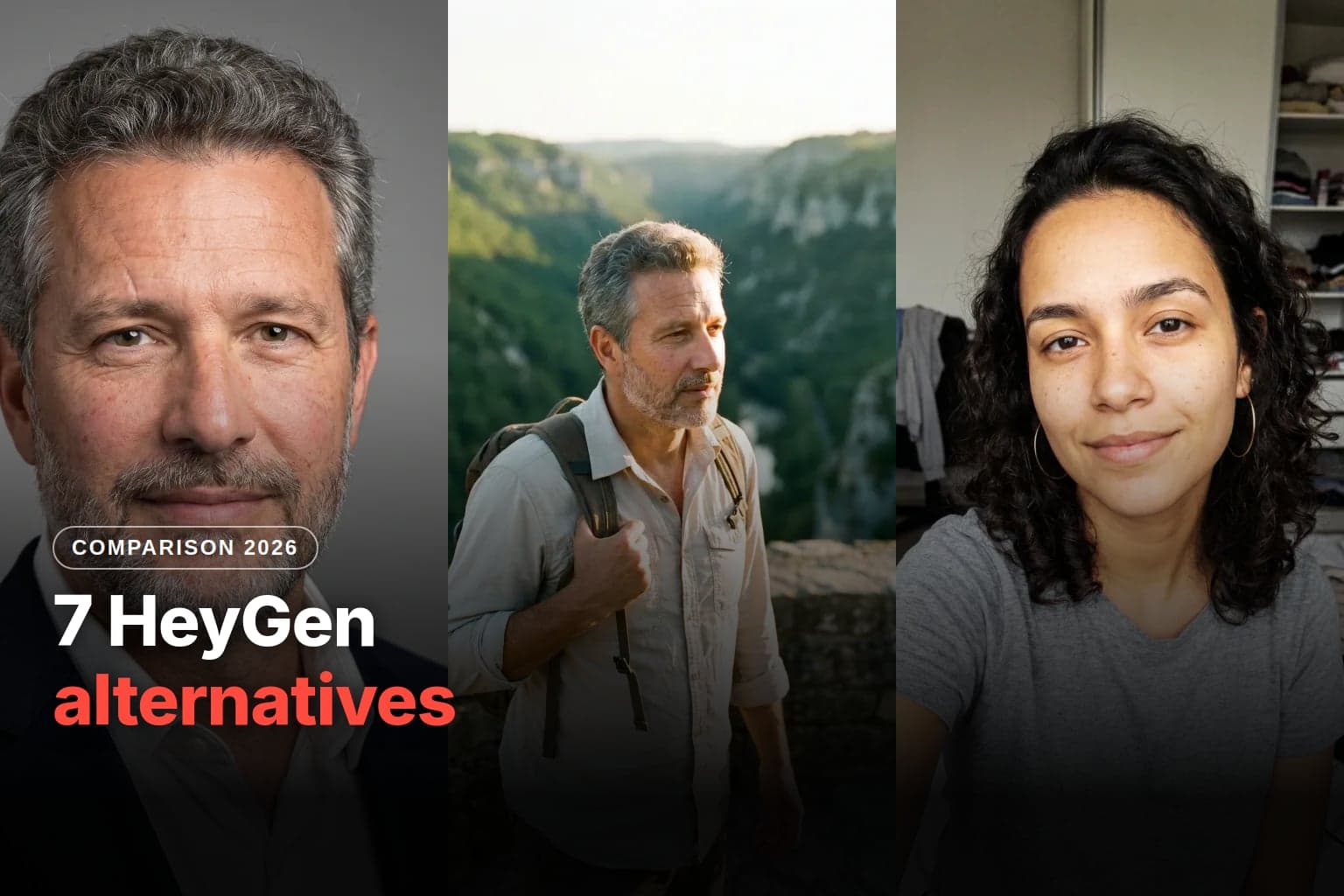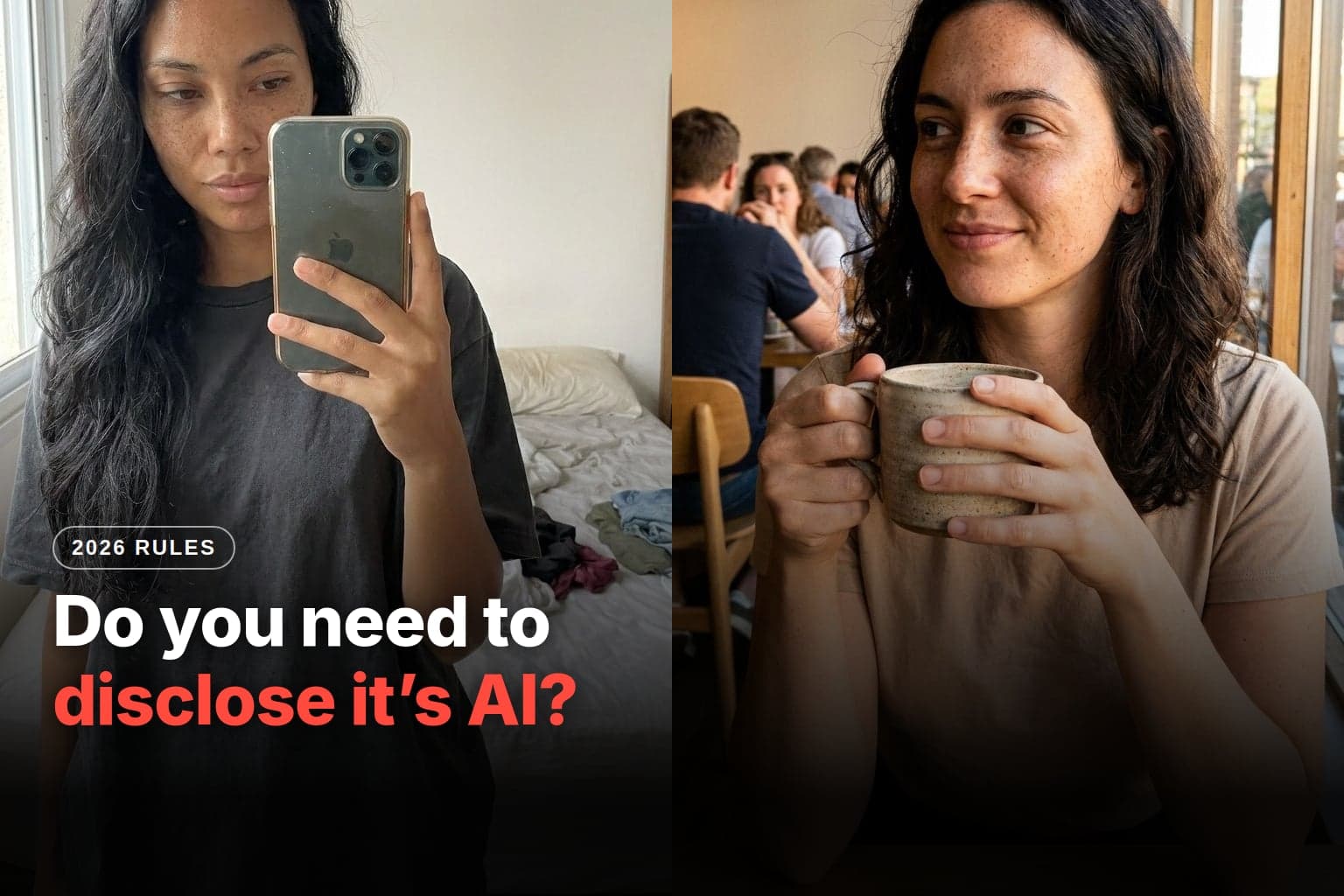
The Avatrix character creator was rebuilt for short-form video. Now you choose how far the character strays from ordinary, across three levels from Normal to Extreme, you can start from your own face, and you take the result straight to Motion Transfer, which puts the character inside a video that already exists. Below: what changed, what you can customize, what you can make and what it costs.
What is the AI influencer creator and how does it work?
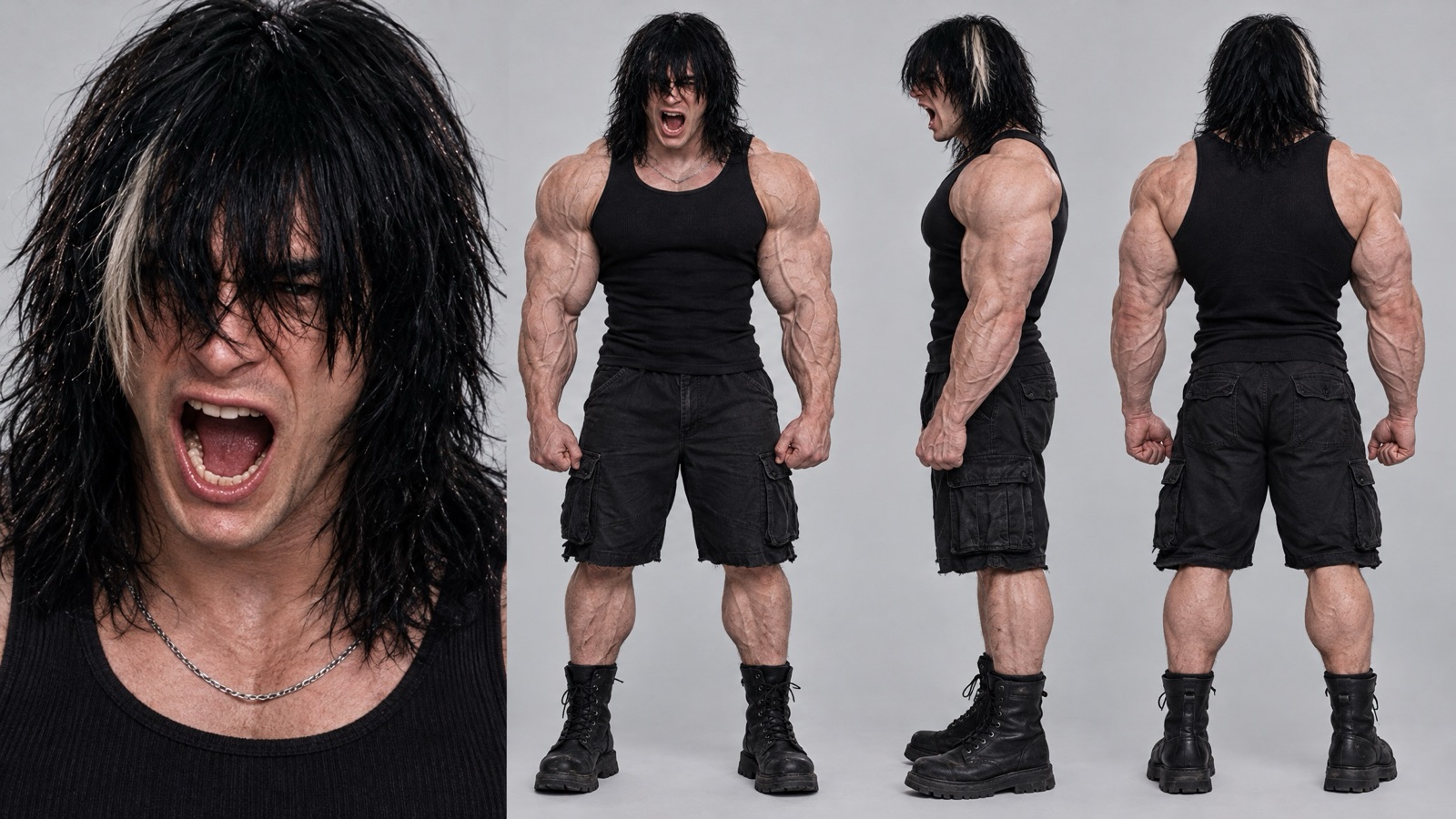
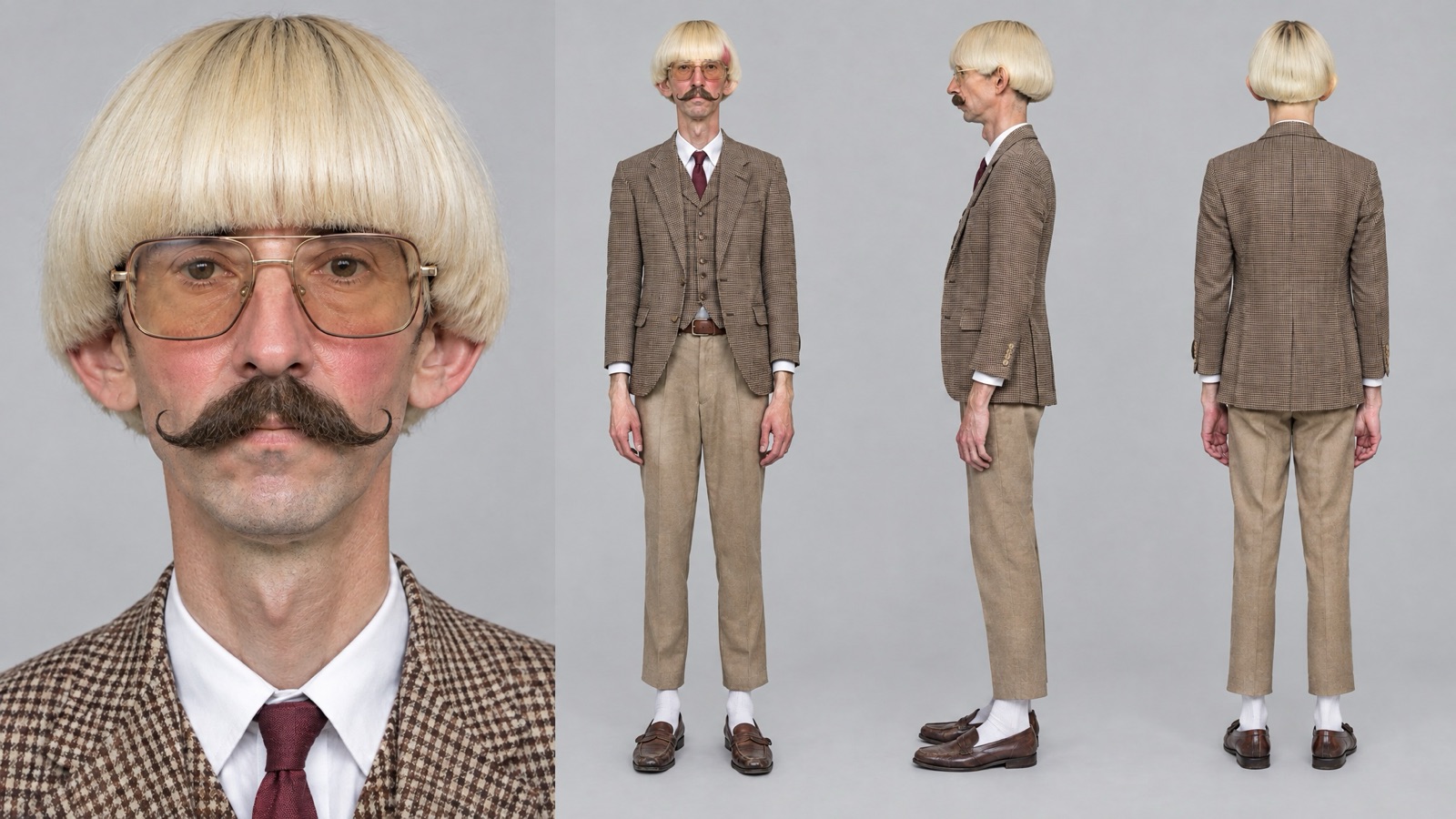
It's where the character is born. You set the weirdness level, describe in a few words who the character is (age, body, clothes) and, if you want, randomize traits or upload a face photo. Avatrix returns a character sheet: a close-up of the face on the left and the full body in three views on the right. That sheet is what keeps the character the same in every video.
The redesign started from an observation about the feed. A character that's too ordinary gets scrolled past. A character that's weird for no reason pushes people away. The weirdness level, the first choice on the screen, decides where between those two points your character lands.
The tool has two parts:
- Create character: level, description, randomized traits and an optional face photo.
- Motion Transfer: takes the finished character into a video, in two modes: copying the motion or swapping a person.
What changed with the three weirdness levels?
Before, creating an influencer meant asking for a good-looking, realistic person. Now the question is different: how much should this person stand out?
- Normal builds an everyday person, good for lifestyle profiles, UGC and hosts.
- Bold adds a trait that gets noticed in the feed, without making the character unlikable.
- Extreme delivers a face made for comedy, sketches and memes.
| Criteria | Before | Now |
|---|---|---|
| Character type | Realistic person | Three levels: Normal, Bold, Extreme |
| Adjustments | Description only | 19 categories and 191 options with photos, or one-click randomize |
| Your face | Not available | Optional face photo |
| Output | One image | Sheet with a face close-up and the body in three views |
| Video | A separate tool | A button that goes straight to Motion Transfer |
What can you customize in the character creator?
The creator covers face, body and style, in three tabs. Weird traits work best when they read from a distance: hair, mustache, neck, glasses, an animal head. A trait that only shows up close, like eye color, disappears when the character appears full-body in the video.
The builder has 19 categories and 191 options, each with an example photo. Colors (skin, eyes, hair) show up as swatches.
Face:
| Category | Options |
|---|---|
| Character type | Normal, Bold, Extreme, plus animal heads: Cat, Dog, Capybara, Bird, Frog, Insect |
| Gender | 5 options, from Female to Non-binary |
| Age | Adult, Middle-aged, Senior |
| Ethnicity | 6 options, including Latin American |
| Skin tone | 8-tone palette |
| Head and eye shape | 11 head shapes, 11 eye shapes |
| Eye color | 8-color palette |
| Facial features | 28 options, up to 4 at once: freckles, dimples, unibrow, gap teeth and more |
Body:
| Category | Options |
|---|---|
| Neck | 4 options, from short to thick |
| Height | 4 heights |
| Body type | 8 types, from Slim to Muscular |
| Proportions | 6 options, up to 2 at once: long limbs, broad shoulders, tiny waist and more |
Style:
| Category | Options |
|---|---|
| Hairstyle | 30 options: bald, bowl cut, mullet, braids and more |
| Hair color | 13 colors, from black to pink |
| Beard and mustache | 9 options |
| Standout details | 14 options, up to 2 at once: face tattoo, gold teeth, two different eye colors and more |
| Clothing style and accessories | 8 styles, from Retro to Theatrical, and up to 3 accessories |
Randomize all fills in all 19 categories at once, with a set that goes together. Clear all resets the panel, and your choices stay visible as tags at the bottom. If you want more than one variation, Quantity generates up to 4 characters with the same choices.
One golden rule: the outfit that shows up in the video is the outfit on the sheet. If you want the character in a suit in the video, put the suit in the description.
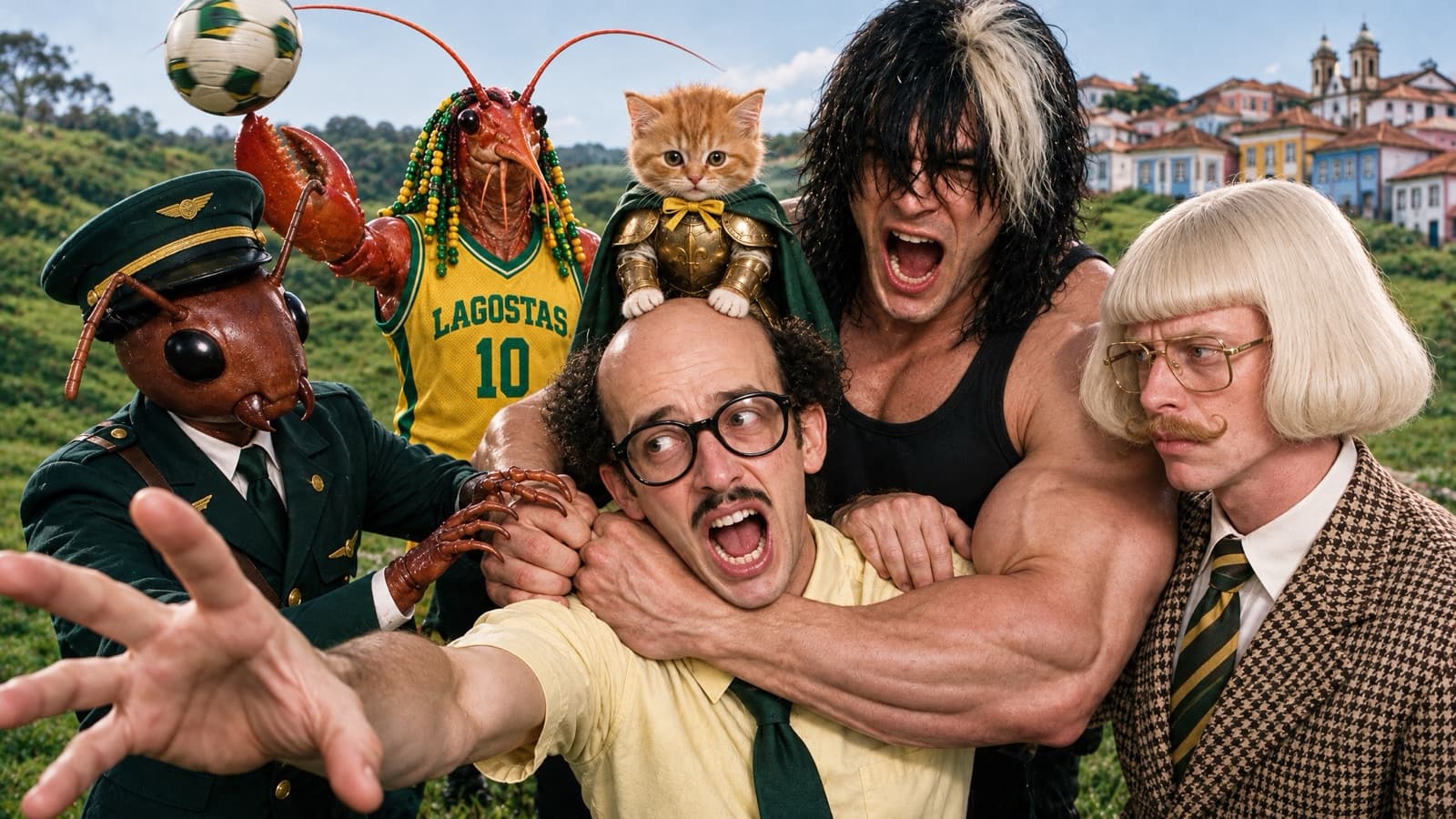
The six characters on the cover
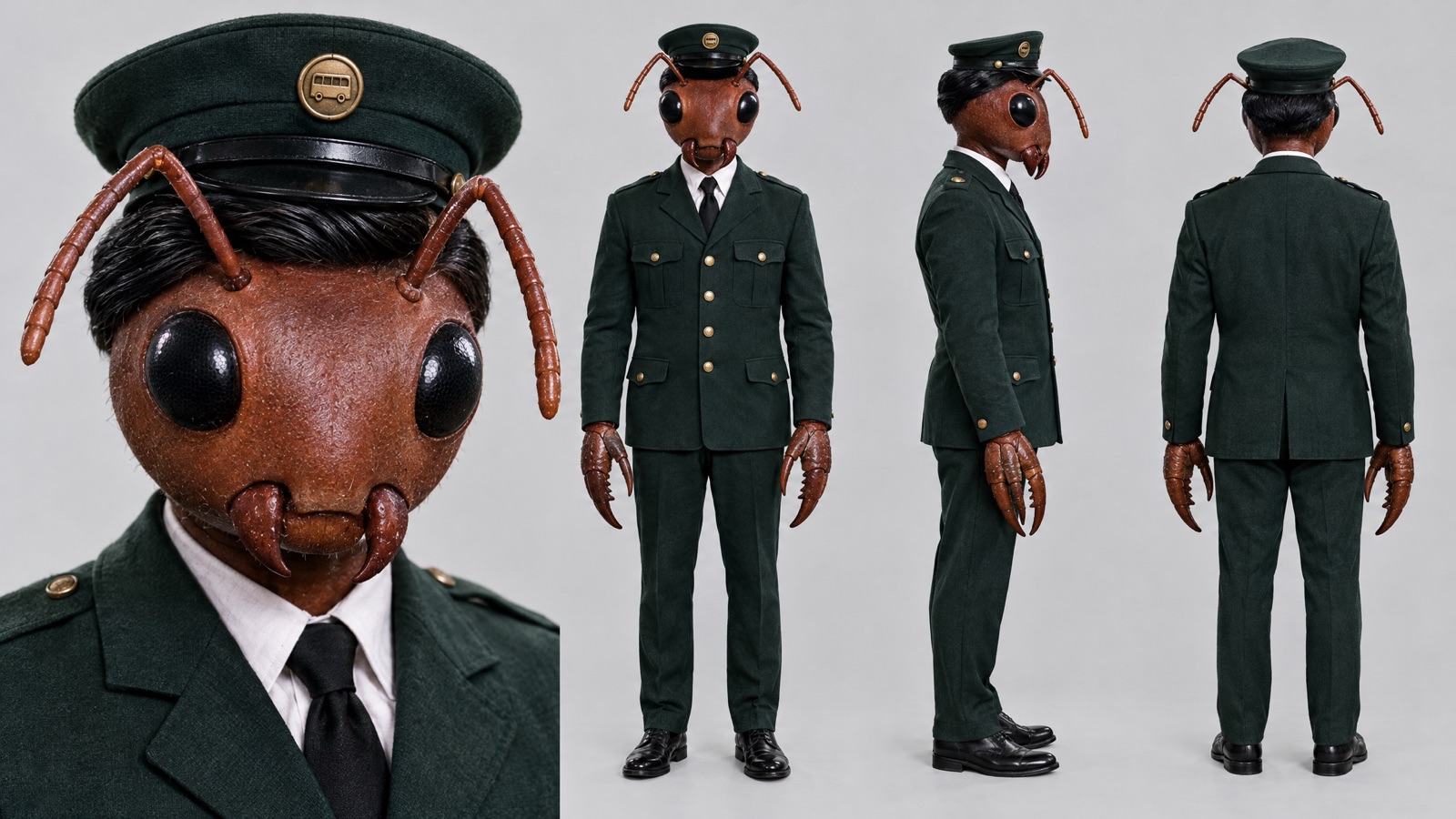
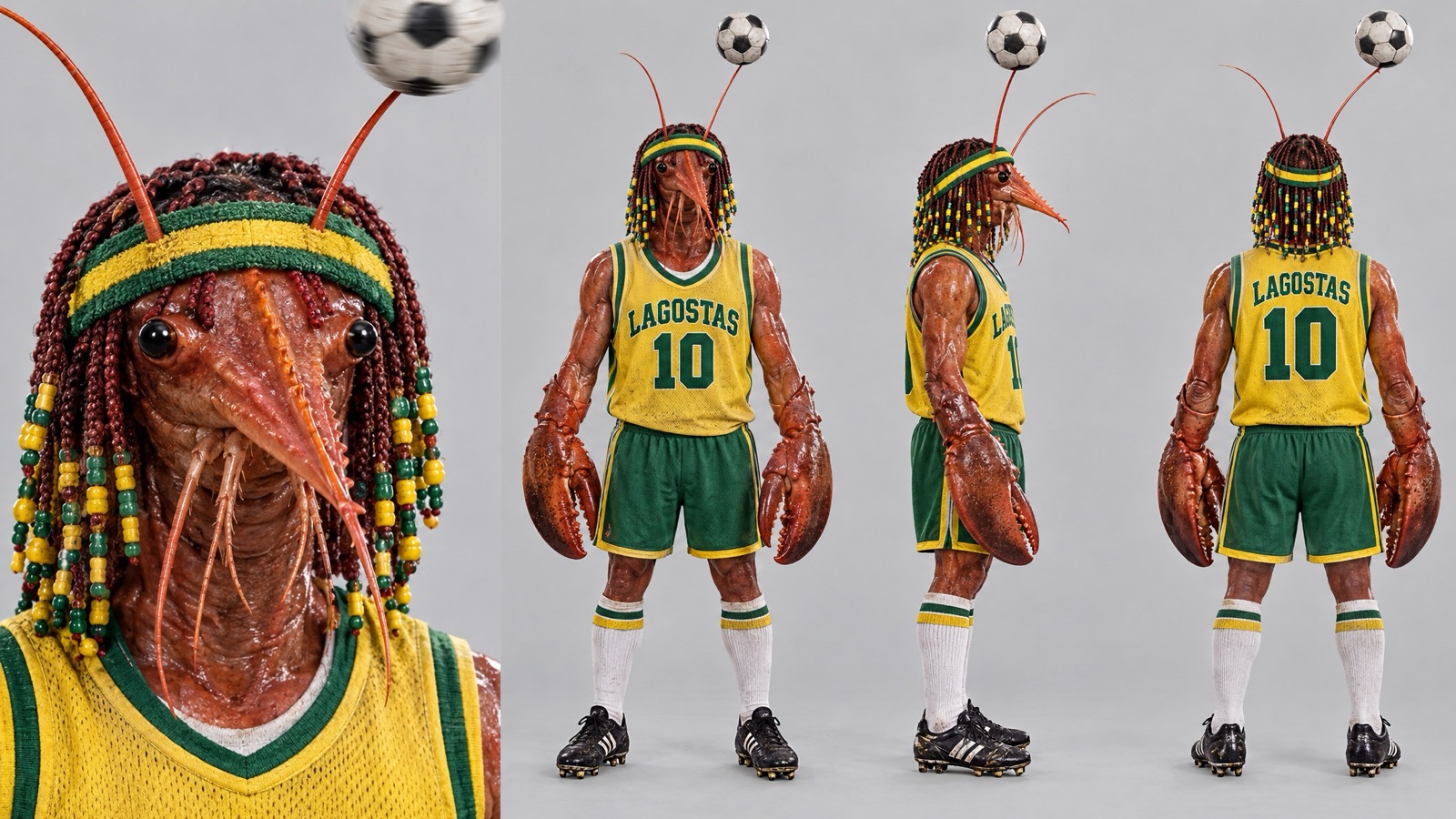
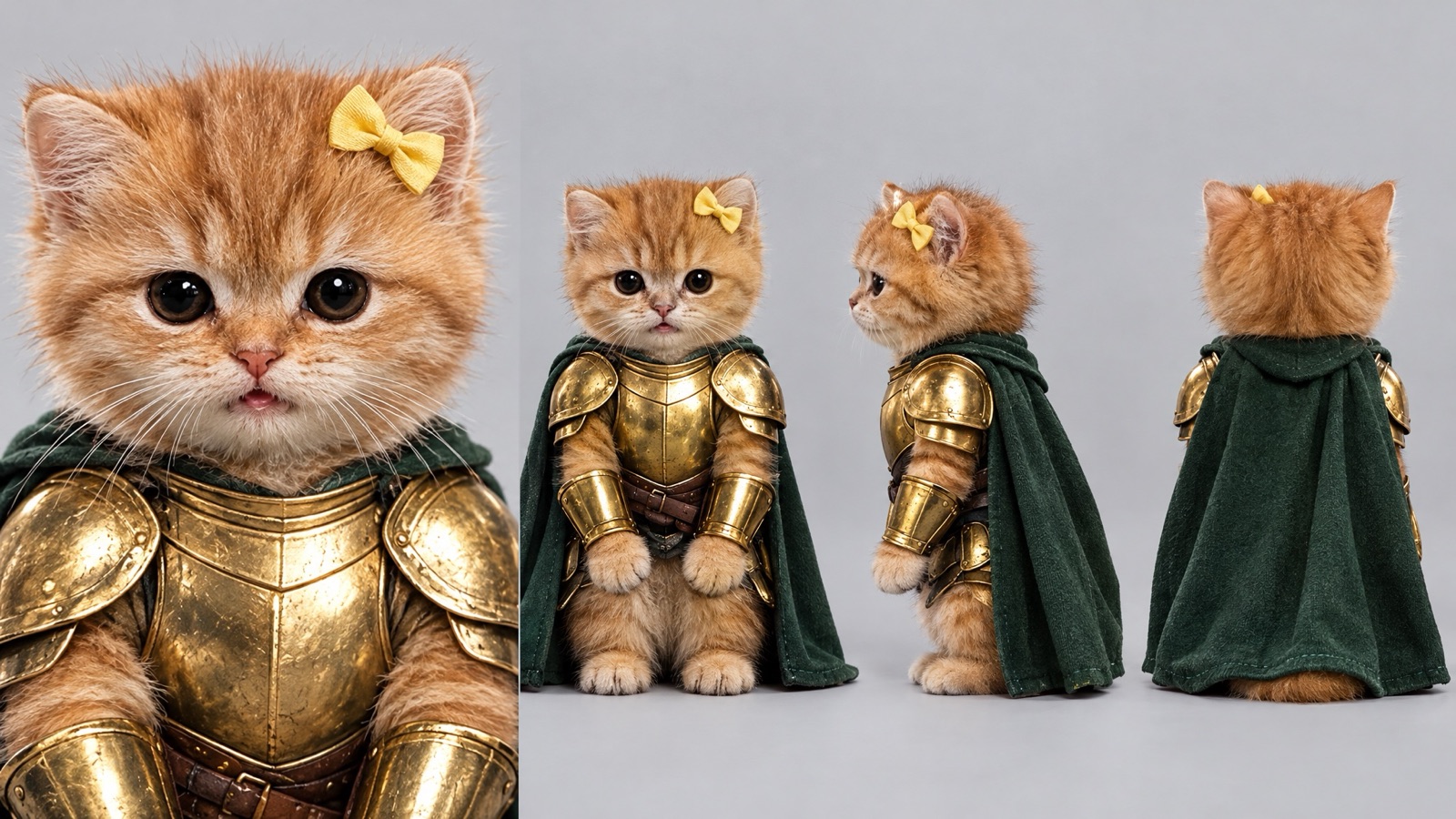
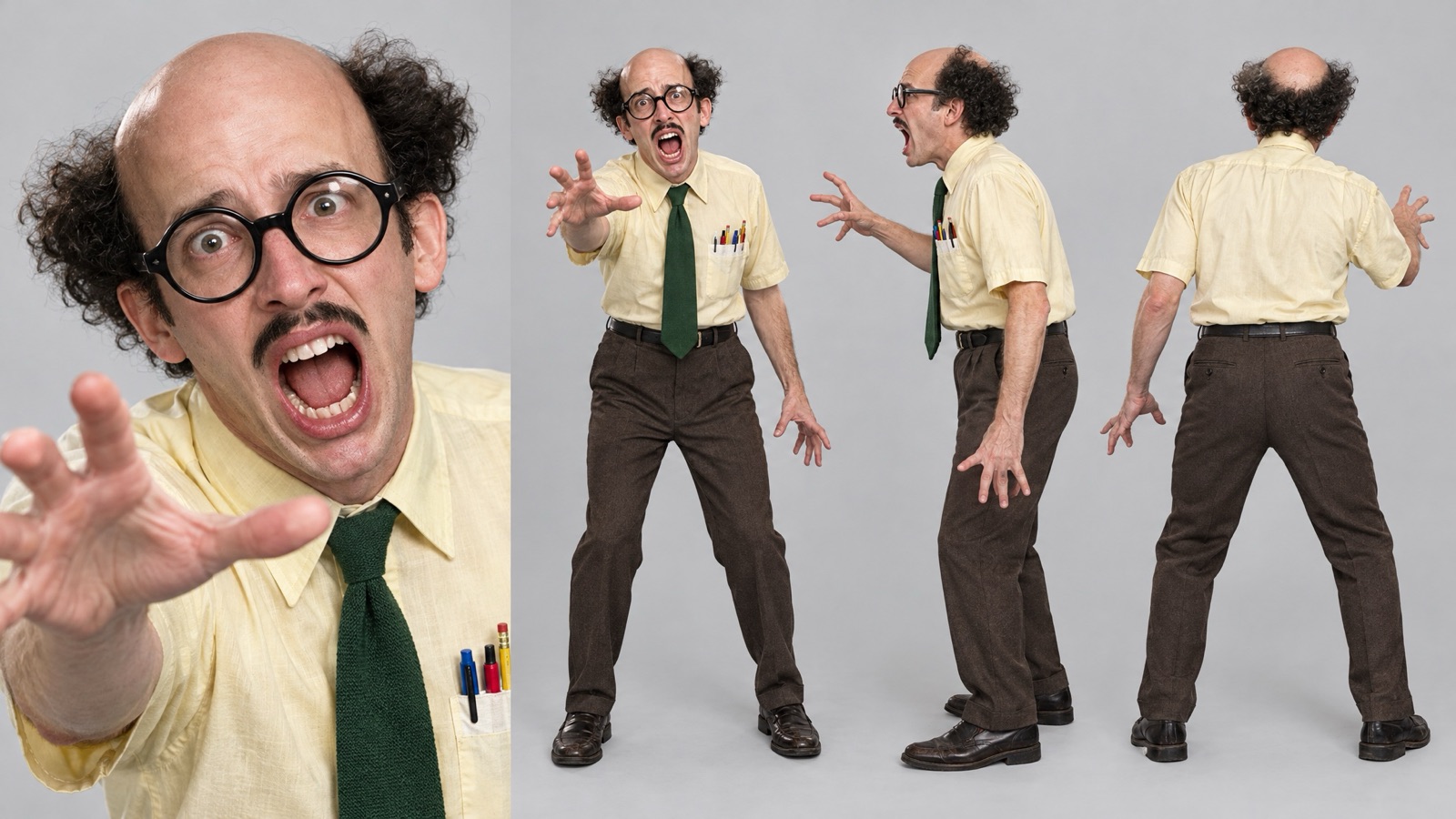
Every character in the image at the top was created at the Extreme level. Each one has a weird hook that works from a distance, which is exactly what stops the thumb in the feed.
The ant fare collector
A shiny ant head, huge black eyes, antennae and claw hands, in a green fare collector's uniform with gold buttons. The weird part is the contrast: a bug with the posture of a serious employee.
The number 10 lobster
Lobster head and claws, little braids with green and yellow beads, a headband and a "LAGOSTAS 10" jersey. The soccer ball spins on the tip of an antenna.
The knight kitten
An orange kitten in golden armor, a green cape and a little yellow bow, sitting like a hero. On the cover, he's riding the neighbor's bald head.
The screaming bald guy
Bald on top, frizzy hair only on the sides, huge round glasses, a little mustache and a mouth always open in a scream. Yellow shirt, green tie and a pen in his pocket.
The emo bodybuilder
Absurdly huge arms, straight black hair covering his eyes with a white streak, a black tank top and a silver chain. He's always screaming too.
The bowl-cut man
Platinum blond bowl cut, curled mustache, gold-rimmed glasses and a three-piece plaid suit. He's the most "normal" of the bunch, and that's exactly why he's the weirdest.
What can you do with a finished character?
The sheet stays saved in your account. From there, you can generate again with a different description, download the image or click Use in video, which takes the character straight to Motion Transfer.
How do you turn the character into a video with Motion Transfer?
In Motion Transfer, you pick one of two modes:
- Copy Motion: takes the motion from a reference video and hands it to your character, who repeats the action frame by frame.
- Swap Person: swaps just one person in a video for your character and keeps everything else: the camera, the setting and the other people in the scene. You say who to swap by position and clothing, for example "the bald guy in the white shirt dancing in the middle."
The reference video runs 4 to 30 seconds, and the finished video comes out the same length. Quality is Low, Medium or High, and the extra instruction is optional in both modes.
The fastest way to get it right is to start from a format that has already gone viral: a dance video, a reaction, a trend that's making the rounds. You swap the person for your character, and the format comes already tested.
What can you make with the AI influencer creator?
| Use | How to do it |
|---|---|
| Character profile with recurring posts | Normal or Bold character, same outfit, posts every week |
| Comedy and memes | Extreme character repeating moves from trends |
| Your AI clone | Face photo + whatever look you want |
| Product content | Swap Person in a video that already exists |
| Characters who meet | Several characters, each with its own sheet, in the same video |
How do you create an AI influencer on Avatrix, step by step?
Step 1: Open Motion Transfer. In the menu, open Motion Transfer and stay on the Create character tab.
Step 2: Upload your photo, if you want. A photo of yourself or of someone who authorized its use. The field is optional.
Step 3: Pick the level. Normal, Bold or Extreme, depending on how far the character should stray from ordinary.
Step 4: Build it in the Face, Body and Style tabs. Click the photos in each category, or use Randomize all to fill everything in at once. Your choices appear as tags at the bottom.
Step 5: Generate. The character costs 8 credits, shown on the button before you confirm. The sheet comes back with the face close-up and the body in three views.
Step 6: Review and reuse. Don't like it? Tweak the description and generate again. Like it? The sheet stays saved in your account.
Step 7: Take it to video. Click Use in video, choose Copy Motion or Swap Person, upload the reference video, pick the quality and generate. The cost shows on the button before you confirm.
How much does the AI influencer creator cost?
The creator uses your account's credits. Creating a character costs 8 credits. The video's cost depends on the length of the uploaded video and the quality (Low, Medium or High), and it shows on the Generate button before you confirm.
Plans are monthly, priced in US dollars and paid by card. You can also buy one-time credit packs by card, with no subscription, and those credits never expire. Current prices are on the pricing page.
Who is the AI influencer creator for?
- Creators who run a character profile or don't want to show their face, where the same persona has to hold up across months of posts and videos.
- Brands and stores that want their own spokesperson and want to put their products into videos that already exist.
- Agencies that keep separate personas for different clients in the same account.
Frequently asked questions
It's the tool that builds an AI character from a weirdness level, a short description and, if you want, a face photo. It gives you a sheet with a close-up of the face and the full body from the front, side and back, ready to become a video in Motion Transfer.
They set how far the character strays from ordinary. Normal looks like an everyday person. Bold has one trait that stands out in the feed but stays likable. Extreme is meme material: an animal head, a giant neck, three mustaches, the kind of character nobody can scroll past.
Yes. The face photo is optional: with it, the character keeps the features of the face you uploaded. Use a photo of yourself or of someone who authorized its use.
Yes. In Motion Transfer you upload a 4 to 30 second video and choose between copying the motion or swapping one person in the video for your character. The rest of the scene, the camera and the other people stay as they were.
No. The character comes from the level, the short description and the randomized traits. For the video, the extra instruction is optional.
Creating the character costs 8 credits and returns the full sheet. The video's cost depends on the length of the video you upload and the quality you pick (Low, Medium or High), and it shows on the button before you generate. Credits come from the monthly plans or from one-time credit packs paid by card, with no subscription, and those credits never expire.