I created a 100% AI natural-health influencer, Seu João, a grandpa in a flat cap who shares herbal tricks, and used him to recreate the video format of the biggest AI profiles in the niche worldwide. Two generations, 157 credits, no camera. The photo and the talking video (with a Portuguese voice that came straight out of the model) are right below, along with every screen and every prompt.
The whole process has three parts: picking the niche based on what's already proven to grow, generating the character and the video in Avatrix's Workflow, and monetizing through the routes the big profiles in the niche already use.
Which niche should you pick for your AI influencer?
Pick based on what's already growing: in health and wellness, the winning template is a wise older character giving a home tip in a short video.
This isn't a hunch: we checked the profiles live in July 2026. The two biggest AI influencers in the niche worldwide are exactly that: a monk with 2.5 million followers and a natural-healing guide with 1.2 million, both active and posting. Young model profiles dominate other territory (fashion and lifestyle); in health, grandpa rules.
And their videos follow the same four-part template: a curiosity question ("did you know...?"), a simple home recipe, the authority of tradition behind it, and a request for comments at the end. Keep those four parts in mind: they come back in step 3.
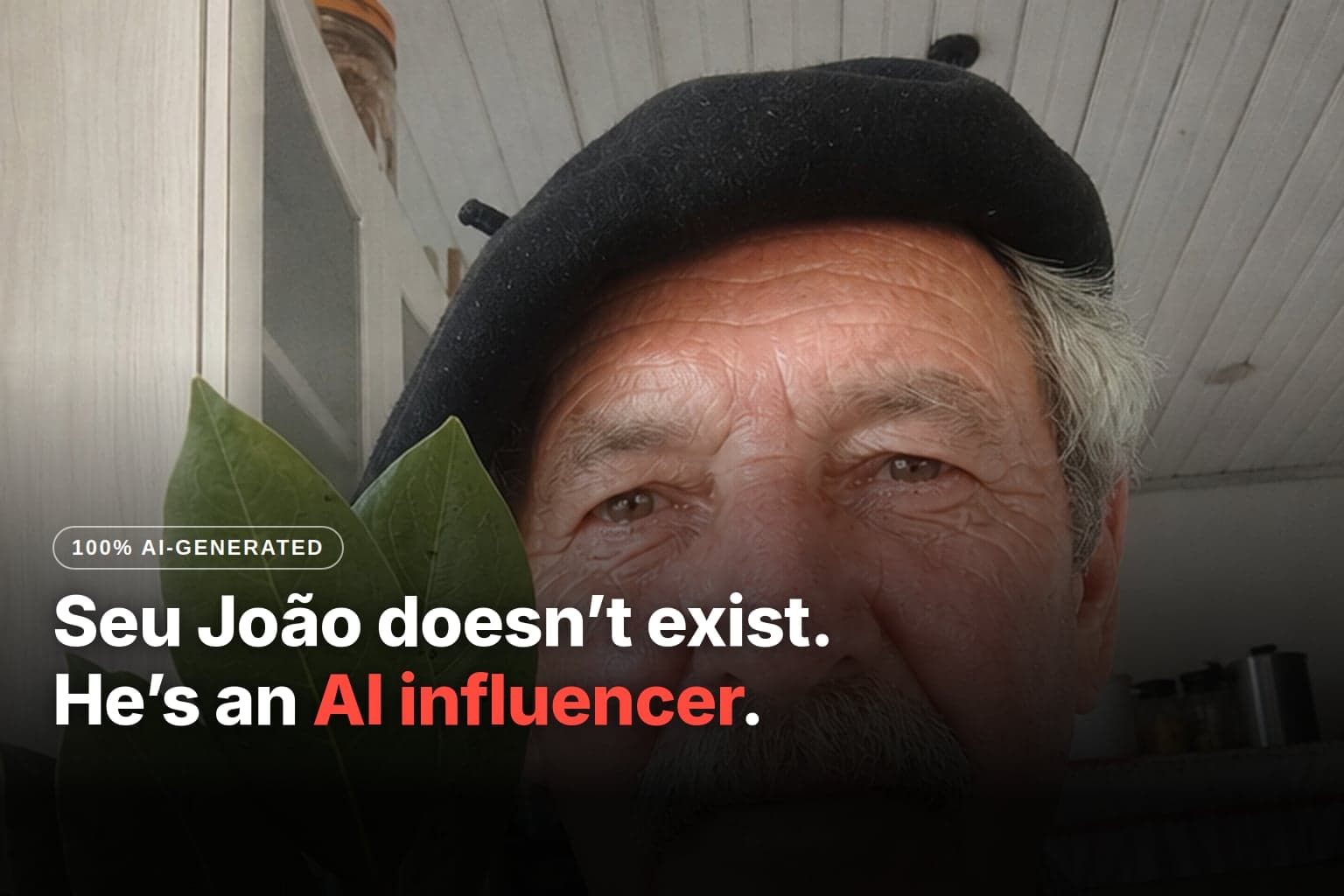
To run the process, you only need ONE thing before you start: a reference photo of your character. That's what keeps the face the same in every generation. I used Seu João, a ready-made character; if you don't have yours yet, the path from scratch is in the main guide to creating an AI influencer without showing your face. This is the photo I used as the reference:
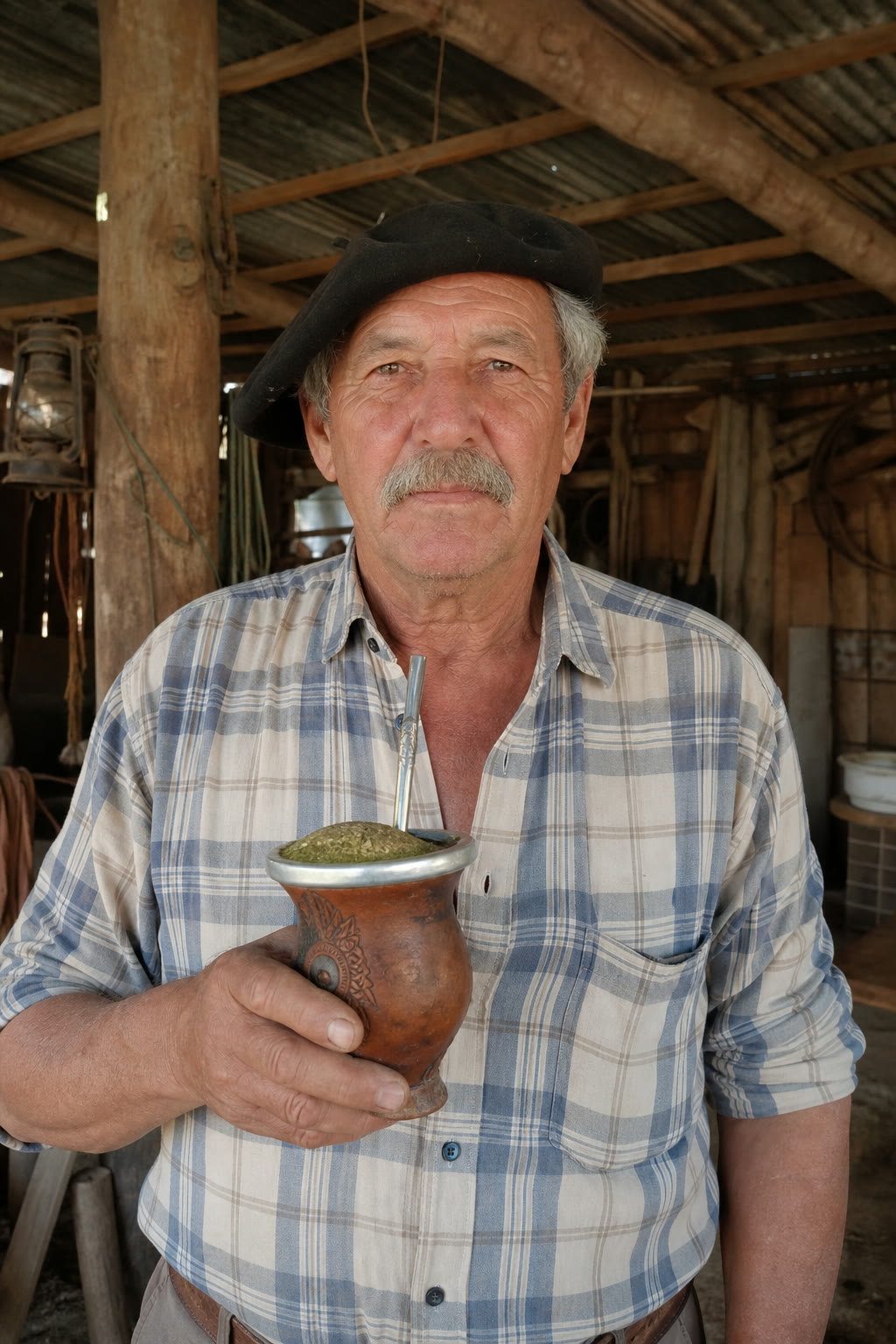
What I wanted to recreate with him: the structure of a real video from the 1.2-million profile, the bay-leaf-in-the-sock trick. The key frame is the character showing the leaves to the camera. That's what we'll generate now.
How do you recreate the video frame in the Workflow?
You generate the key frame in an Image card: attach the reference, paste the realistic selfie prompt, and Seu João comes back holding the bay leaves.
The Workflow is the card-based creation screen: each card is one generation, and one card pulls in the result of another.
How to do it: in the sidebar, click Workflow.
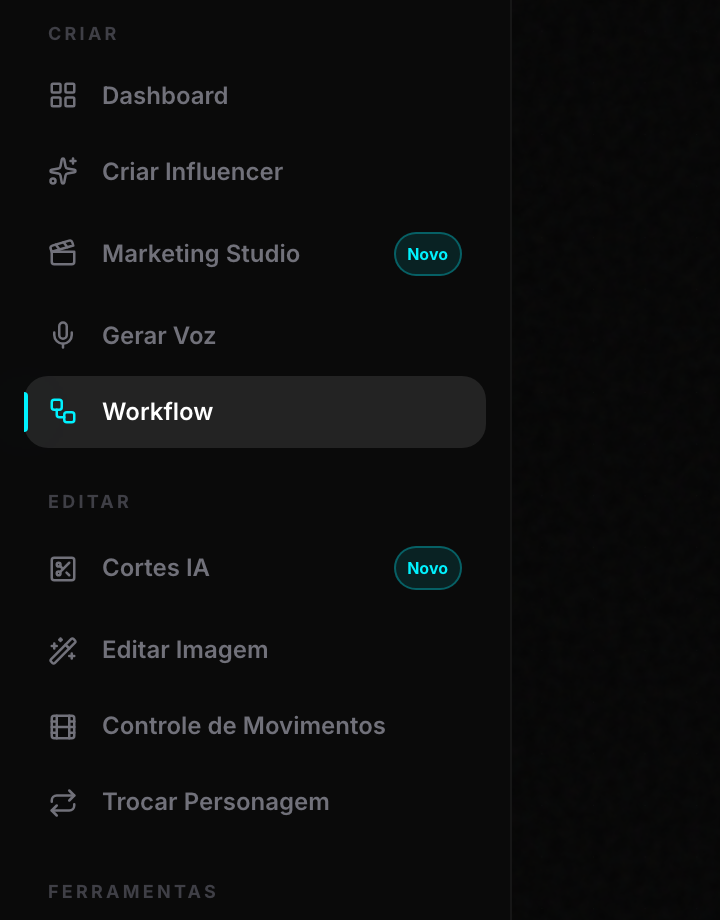
Inside the Workflow, the + New creation button sits in the bottom bar:

It opens a picker with two card types. Choose IMAGE:
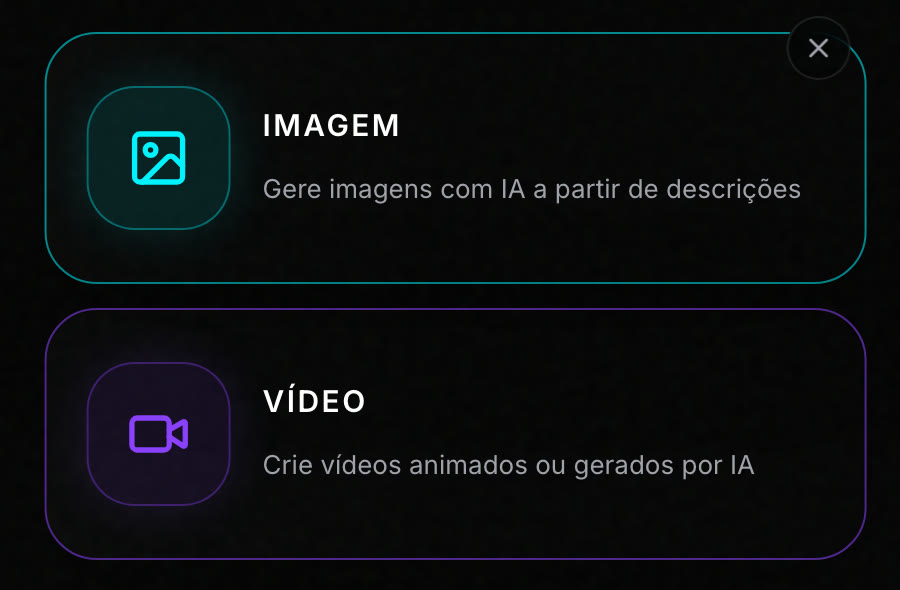
The Image card starts with another model selected, so switch it in the Model picker. Three settings to match mine:
- Model: I switched to AI Image 6. The card comes with Reference selected.
- Optional references: this is where the character photo goes, and the counter changes to 1/8. Check the thumbnail before generating.
- Generate button: it shows the cost upfront: 7 credits at 1K, 9:16 aspect ratio.
The prompt, ready to copy (it's the one I used for the photo below). Identity doesn't go in the text: it comes from the attached reference. What the text does is force the look of a real phone photo by asking for the flaws every real photo has:
Use the attached reference image as the EXACT identity (same face, same
skin, same hair, same proportions; do not modify the identity). Amateur
phone selfie taken from the front, inside a simple countryside kitchen,
with natural window light during the day. Elderly man in a plaid shirt
holding a small sprig of bay leaves near his face, showing the leaves to
the camera, with the warm expression of someone about to share a family
secret. Extreme skin realism: visible pores, wrinkles and natural age
spots, slight oiliness and natural shine on the forehead, flyaway hairs.
Diffused natural window light, slight phone sensor grain, handheld framing
slightly tilted and off-center. Looks exactly like a real, unedited
Instagram story, fully photorealistic and indistinguishable from a real
photo. No studio lighting, no glamour, no retouching, no perfect plastic
skin, no ad look.
I clicked Generate and got this: the same Seu João from the reference, now in the kitchen with the bay leaves in hand:
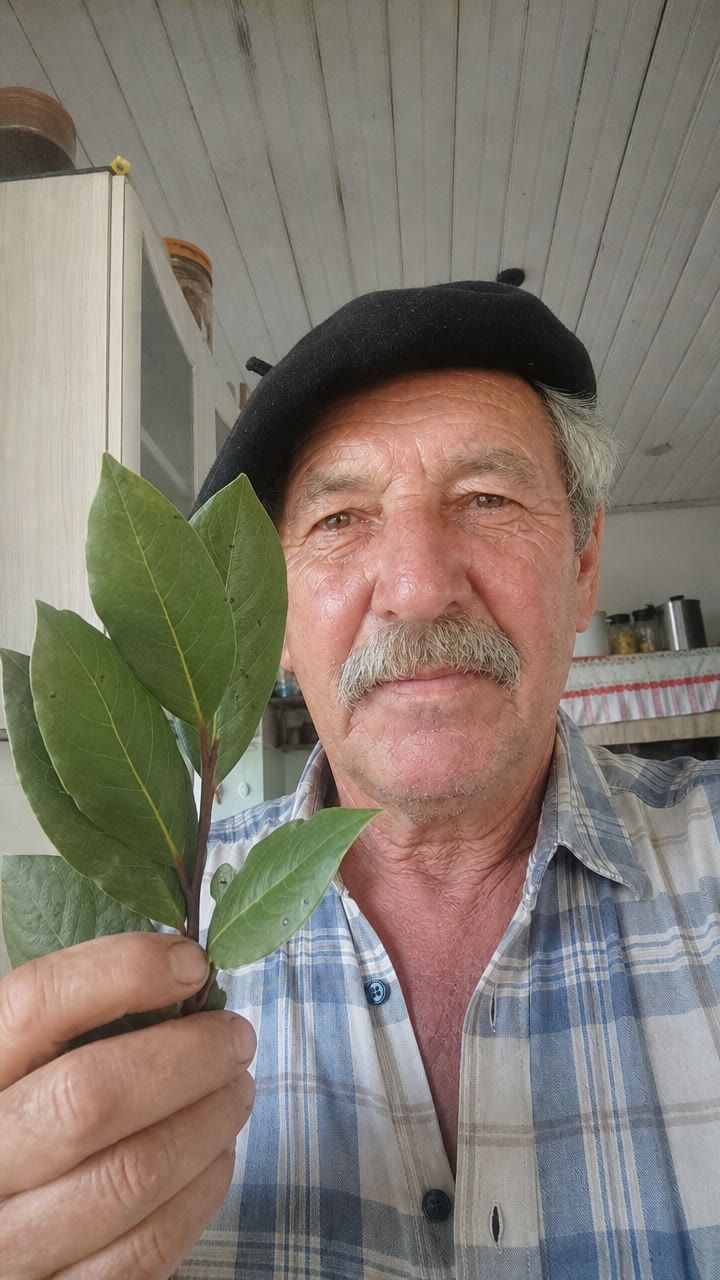
Notice what held: the flat cap, the mustache, the plaid shirt, the whole face. That came from the reference, not the prompt. And notice what the prompt added: a countryside kitchen, window light, tilted phone framing, the flaws that make it look like a photo of a real person.
AI Image 6 · 1K · 9:16 · 7 credits.
How do you give the character a voice with AI Video 8?
You animate the frame in a Video card, Creative mode, with AI Video 8, which generates the video AND the voice together.
It was the part of the process that surprised me most: Seu João's entire line came out of the model, with the accent of a grandpa from the Brazilian countryside, without me recording or dubbing anything.
How to do it: click + New creation again, this time VIDEO. The card asks for the mode: choose Creative:
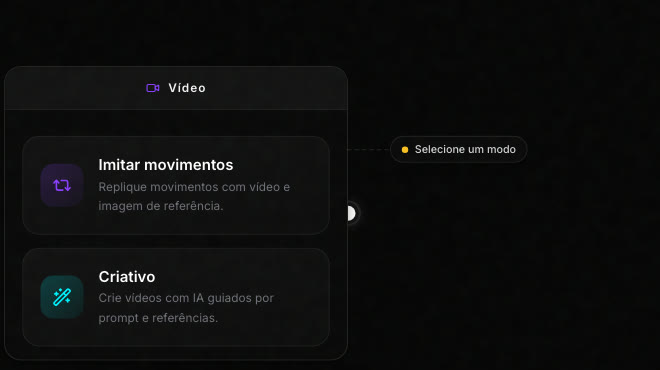
In the card, three settings to match mine:
- Model: I switched to AI Video 8 ("360p or 720p video with native audio"). Native audio is the big leap: the voice comes out with the video. I left the quality at the default, 720p, which is what the credits below reflect.
- References: I attached the image I had just generated (the counter changes to 1/3). It becomes the character and the setting of the video.
- Duration: I dragged the slider to 10s. Cost scales with it: 5 seconds cost 75 credits, and 10 came to 150 credits.
The prompt, ready to copy. It's the one behind the video below, with one change: in my test, the accent and the line were in Brazilian Portuguese; this version asks for English. The line goes INSIDE the prompt, in quotes: change only that to write your script. Before generating the full 10 seconds, run a short 5-second test (75 credits) to hear the voice.
Use the attached reference photo as the EXACT character and setting
(same face, same flat cap, same plaid shirt, same kitchen; do not modify
the identity). Vertical 9:16 video that looks like a story recorded on a
phone, handheld camera, slight natural shake. The elderly man looks at
the camera, shows the sprig of bay leaves, and speaks in American English
with the warm accent of a small-town grandpa, deep and unhurried voice,
like someone sharing a family secret.
DIALOGUE: "Did you know a bay leaf in your sock, one hour before bed,
changes your night? My grandma did it her whole life. Comment YES if
you're going to try it."
<<< the DIALOGUE in quotes is your script: change only that for each new video >>>
He gestures slowly with the leaves near his face and smiles at the end.
Audio: only his voice and the soft ambient sound of the kitchen. No music,
no captions, no on-screen text, no camera cuts, no cinematic look.
About 70 seconds later, out came this: Seu João telling the whole tip, voice and all (in Portuguese, as my test prompt asked):
The face held for the full 10 seconds, the mouth follows the speech, and the background doesn't melt. In the Workflow, the whole process, from zero to talking video, ended up as three cards in a row: image, result, and video, each one pulling from the previous one.
AI Video 8 · 720p · 9:16 · 10s · 150 credits.
How do you structure the video in a format that grows?
Seu João's line follows, piece by piece, the template of the videos that took the niche's big profiles to millions of followers.
The template has four parts, and you can map each one onto the line you just heard:
| Format piece | In Seu João's line |
|---|---|
| Curiosity hook | "Did you know a bay leaf in your sock..." |
| Simple home recipe | "...one hour before bed, changes your night?" |
| Authority of tradition | "My grandma did it her whole life." |
| Comment request | "Comment YES if you're going to try it." |
Why these four? The hook stops people scrolling the feed. The recipe is simple enough to try today. Tradition answers "why trust this" without citing a study, and the comment request is what makes the platform push the video to more people. For each new video, you only swap the herb, the trick, and the family memory. The structure stays.
One caution, because this is health content: this explains why the format hooks people, not whether the tip works. Keep the hook a curiosity, not a promise: no cures, no guaranteed results, nothing that replaces a doctor.
And one thing the numbers from our research made clear: the profiles in the niche that stopped posting stalled, and the ones growing post almost every day. An AI character has no schedule and never gets tired: consistency is the part that depends only on you.
How do you monetize a niche AI influencer?
The real profiles in the niche monetize through three routes, and we checked them one by one.
The 1.2-million profile recommends a supplement through an affiliate link in bio and earns the commission. The 2.5-million profile sells its own digital product: an ebook and a paid community. And a smaller profile in the niche, with 94,000 followers, monetizes through an Amazon affiliate link in bio.
For your profile, the same mechanisms have equivalents: the affiliate program of a store that sells in your country (like the Amazon one the 94,000-follower profile uses), TikTok Shop (the storefront with commission inside the app itself, where it's available), and YouTube Shorts (ad revenue on short-video volume). None of them guarantees income: it depends on your audience, each program's rules, and what you sell.
I'll be honest about one thing: in the research we did in July 2026, a solo AI character selling through TikTok Shop still had no confirmed public case anywhere. Whoever goes in is testing new ground, with the risk and the advantage of being first.
And one limit of our research: we looked for Brazilian profiles of solo AI characters monetizing through affiliate links in health, beauty, pets, or product finds, and found none; all the cases of this model were outside Brazil. We didn't map English-language sub-niches one by one, so before picking yours, search for who's already doing this format.
One last finding from the research: the giants of the niche are strong on Instagram and weak or absent on TikTok. Only one of them is big on both. Since your content is already born in 9:16, post the SAME video on all three (Instagram, TikTok, and Shorts) from day one.
The mistakes that cost you
- Letting the character's face change. The attached reference is what holds the identity: reattach the SAME photo in every generation.
- Stretching the duration for no reason. Video cost scales by the second (75 credits for 5s, 150 for 10s). A script that fits in fewer seconds saves credits.
- Posting for two weeks and disappearing. The profiles that stopped stalled: in this niche, consistency is worth more than a perfect video.
Create your niche influencer
The path you saw: niche picked by the numbers, key frame in AI Image 6 with the reference attached, voice and movement in AI Video 8 with the line inside the prompt, a four-part format, and monetization through the routes the niche's profiles already use.
More than 5,600 creators already use Avatrix to create characters like this. Yours starts with one reference photo:
Frequently asked questions
No. In this guide's path, the whole video comes from two Workflow cards: one generates the character image, the other animates it and adds the voice. AI Video 8 generates the audio together with the video (in my test, in Portuguese). There's no recording, dubbing, or editing in the process.
157 credits in total: 7 credits for the image on AI Image 6 (1K, 9:16) and 150 credits for the 10 seconds of video with voice on AI Video 8 (720p). Video cost scales with duration: 5 seconds cost 75 credits on the same screen.
Because that's what the numbers show in the health niche. The two biggest AI influencers in the niche, with 2.5 million and 1.2 million followers checked live in July 2026, are wise older men. Young model profiles dominate fashion and lifestyle, not health.
No one can guarantee that. In our July 2026 research, the cases of this model were all outside Brazil, and we found no Brazilian solo AI character monetizing through affiliate links in health, beauty, or product finds. We didn't map English-language sub-niches one by one: before you decide, search your sub-niche for who's already doing this format.
You can, and you should. The path is the same: what holds the identity is the reference photo you attach in every generation. If you don't have one yet, the guide to creating an AI influencer from scratch shows how to generate yours in Create Influencer.