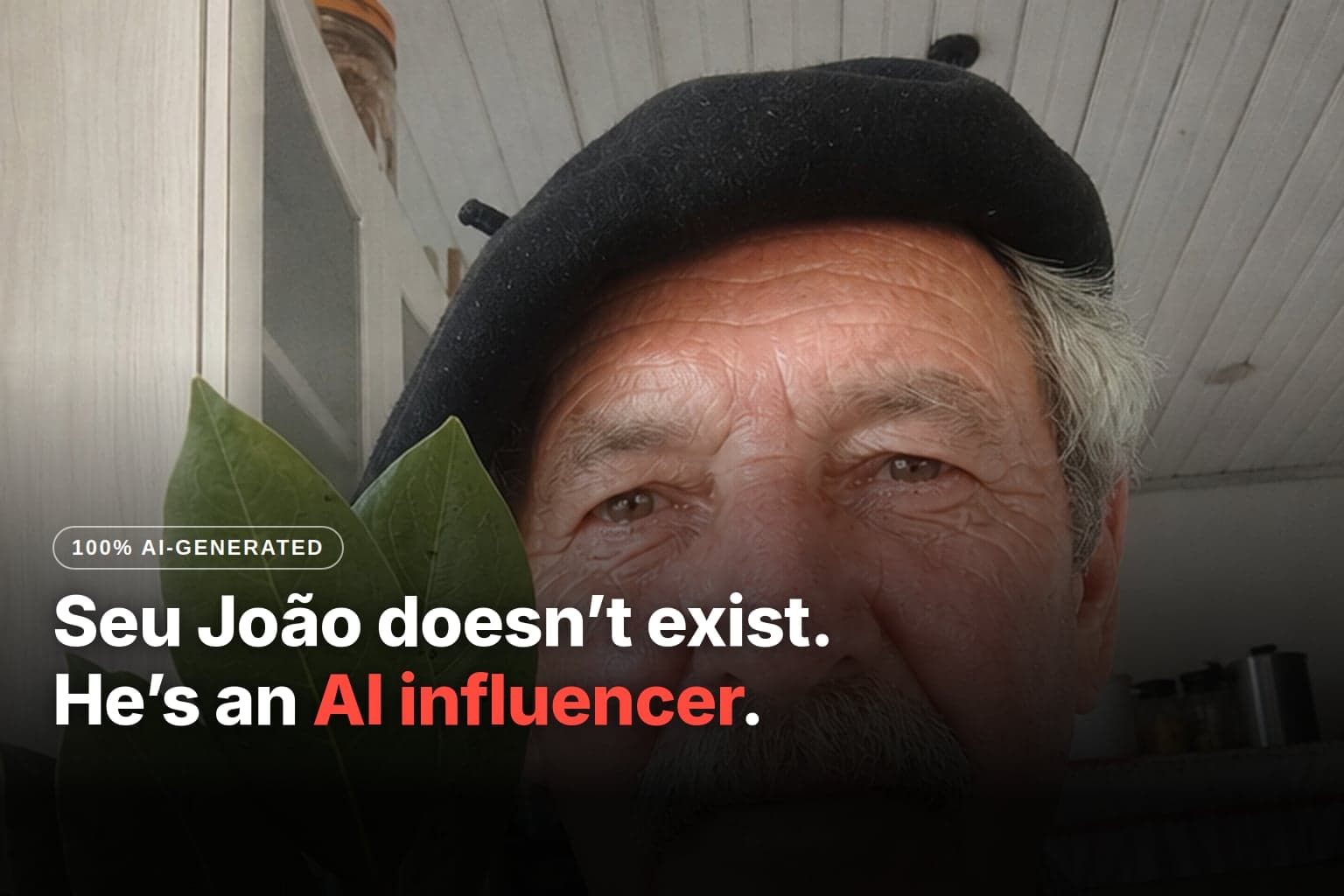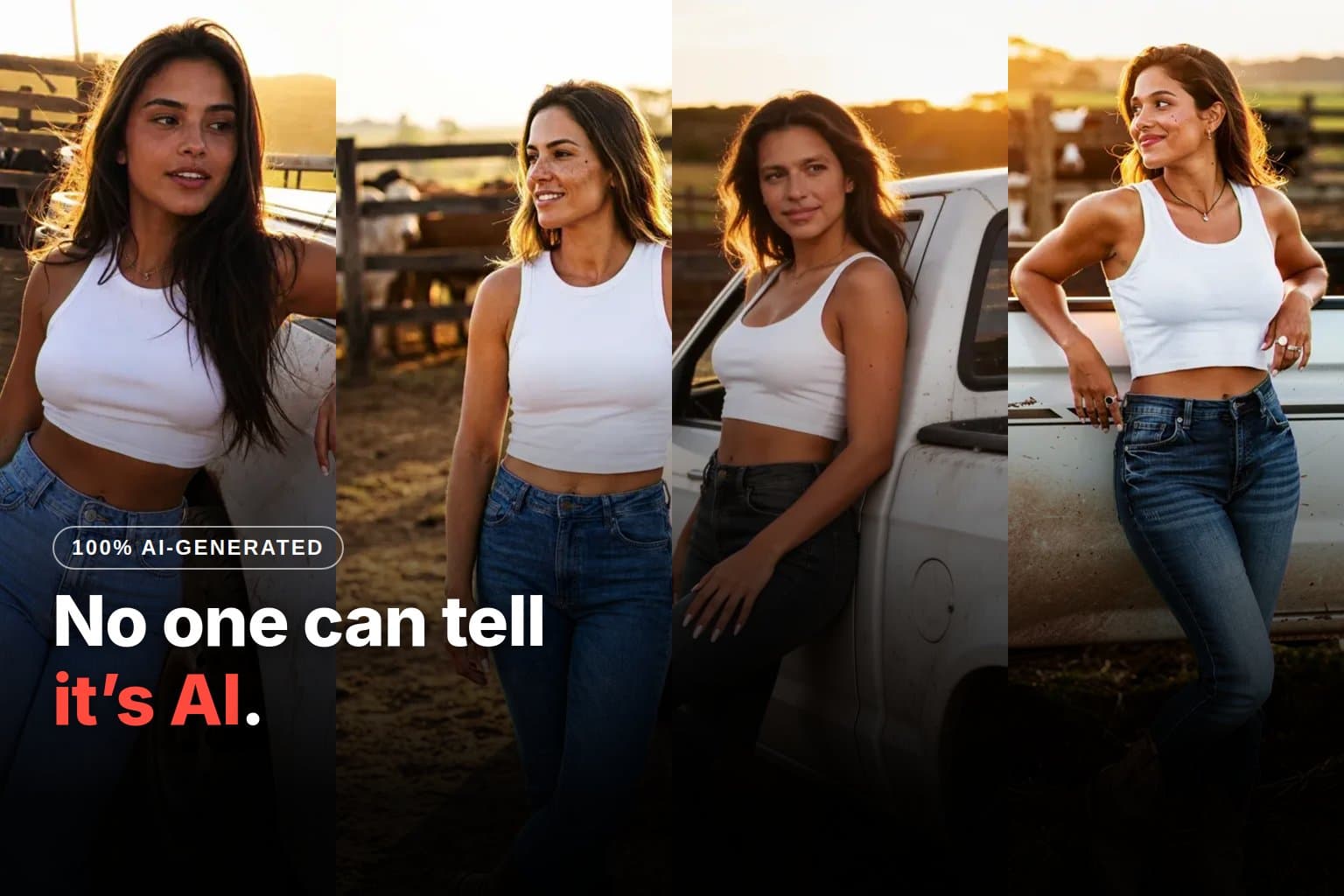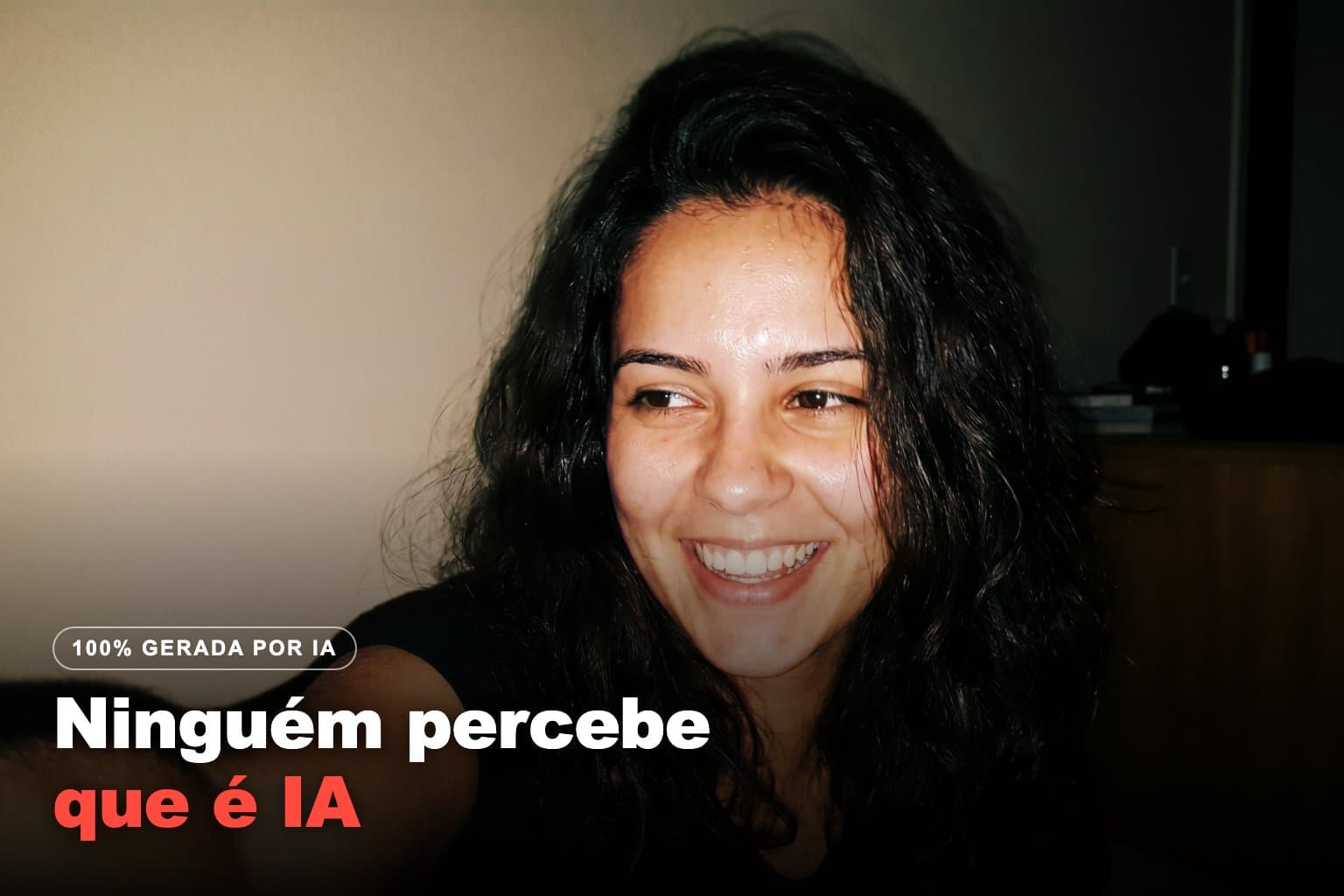
Yesterday, Bia didn't exist. Today she has a face, a name, a way of talking and three photos: a profile shot, one at the gym and one holding a tub of whey. I spent 22 credits and didn't open any other tool.
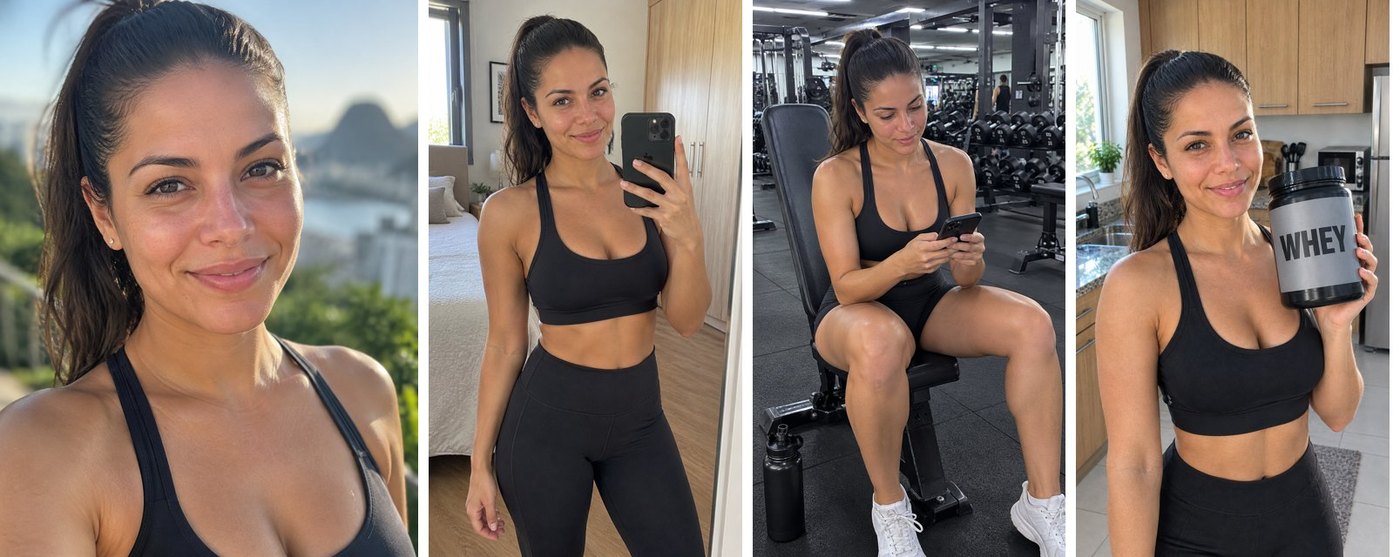
This guide is the path I took, screen by screen, with the prompts for you to paste. But first, it's worth understanding why it's three photos and not one: that's what separates an account that passes as a real person from a folder of pretty images.
Why does a profile need 3 photos and not 1?
Anyone who opens an Instagram profile asks three questions in two seconds without noticing: who is this person, does she really exist, and what does she want from me. A single photo only answers the first.
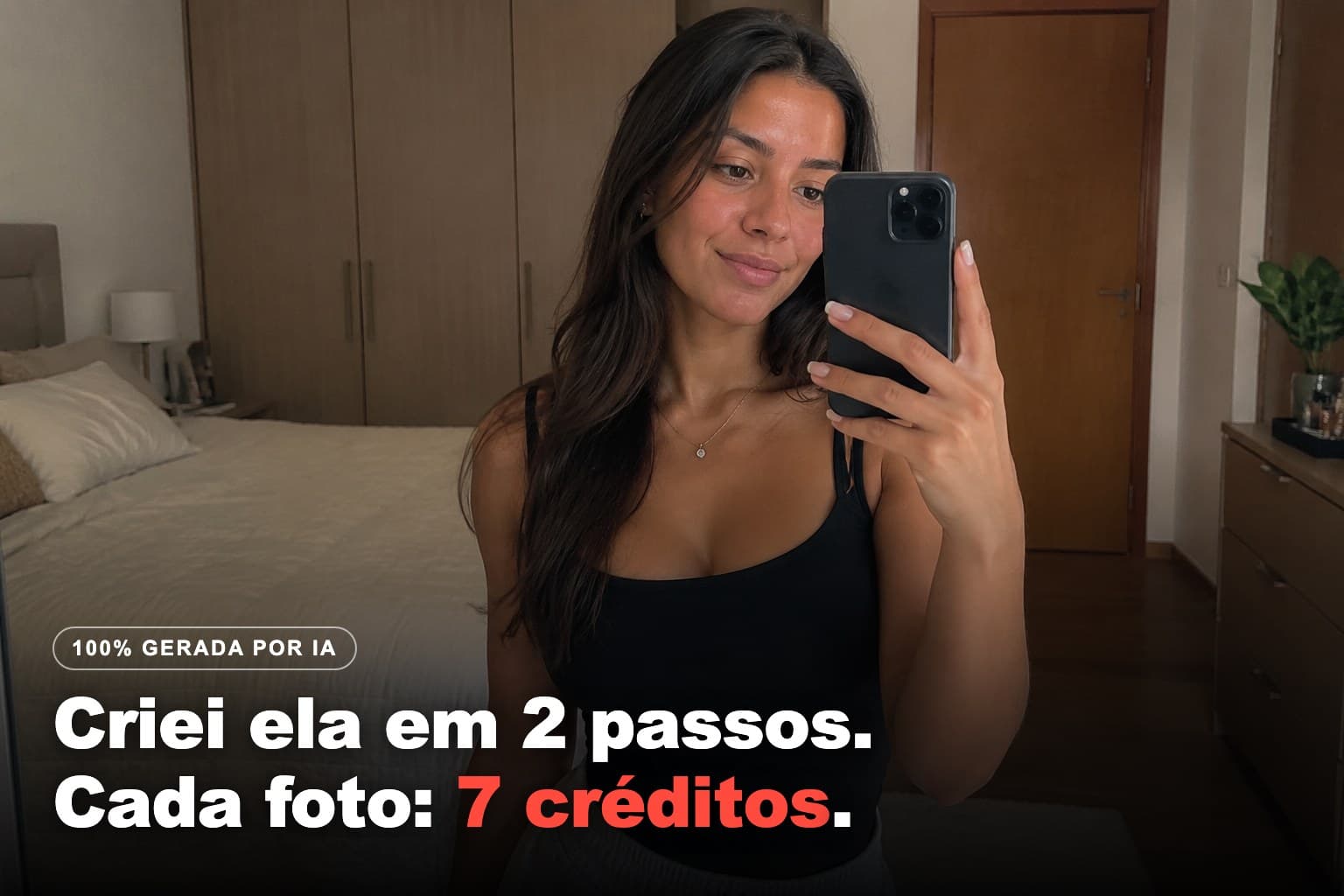
The profile photo says who she is. It's the mirror selfie, the kind everyone has on their phone. It's also the least suspicious one, because nobody hires a photographer for a bedroom mirror selfie.
The routine photo proves she exists beyond the pretty picture. It's the slightly crooked, unposed shot taken in the middle of something else. A profile without any of these looks like a catalog, and nobody follows a catalog.
The product photo is the commercial one. It's for affiliate links, brand partnerships or your own product. And it only works after the other two: a recommendation from someone you're not sure exists is worth nothing.
These three are the minimum. It's not a rule I made up to pad this guide: it's the order in which a newcomer's distrust drops.
What do you need before you start?
An Avatrix account with credits in it. That's it. You don't need a photo, prompt-writing skills or experience with image generators: Avi chats with you in plain English and writes the technical request behind the scenes.
If you've already bought credits and they're sitting unused, now's the time to use them. Credits from Avatrix extra packs don't expire. This guide's entire test fit in 22 credits, so you can do it with what's already in your account.
If you've never created an AI influencer and want to understand the model before the step-by-step, start with how to create an AI influencer without showing your face, then come back here to put it into practice.
Step 1: how do you create the face in "Create Influencer"?
In the left menu, under the Create group, click Create Influencer.
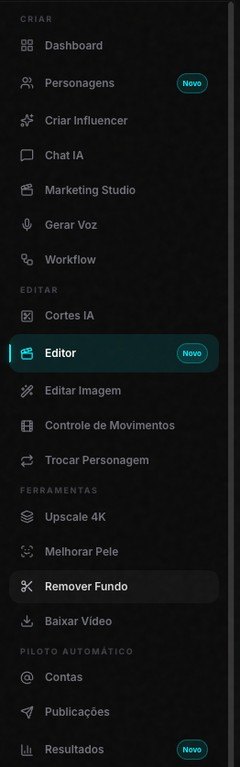
The screen opens with the title "The face is born here." and a chat on the right. The one talking to you is Avi. It's not a form: he asks and you answer.
The first message reads: "Hi, Avi here. Let's create the person who shows up in your videos together. What are your videos about?" Below it are the Reply here field and a row of shortcuts: Weight loss, Professional, Beauty, Fashion, Finance, Cooking, Fitness and Lifestyle. There's also I already have the photo, which is the free path; we'll get to it in a moment.
I clicked Fitness. And here came the first surprise: Avi suggested the name on his own.
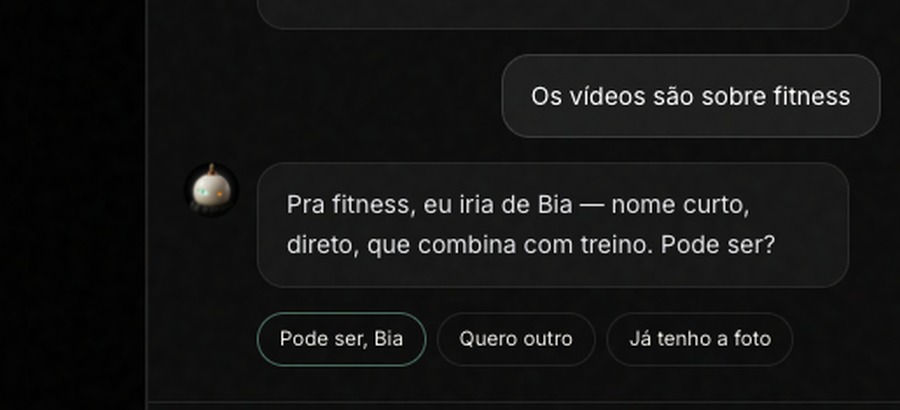
"For fitness, I'd go with Bia: a short, direct name that fits with workouts. Sound good?" Three buttons below: Sure, Bia, I want another and I already have the photo. I accepted.
Then he suggested a way of talking: "For workout content, I'd go with an upbeat, direct voice that pushes people to exercise. Sound good?", with the options Sure, Calmer and More sarcastic. I accepted again.
And that was it: "That's it. Click the button below."
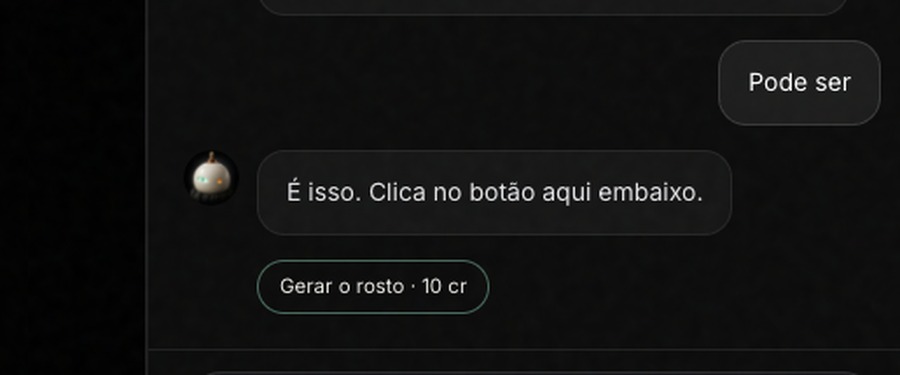
Generate the face · 10 cr. It took two clicks from the start to that button. No open-ended questions, no required fields. I clicked and waited about a minute.
Where is she saved?
The face appeared in the chat, with the Use this character button below it.
I clicked. Avi offered three ways forward: Open the character, Make the first video and Create another character. Bia was saved in Characters, with her character profile already filled in: name, niche and way of talking, everything Avi had agreed on with me.
This is the face he generated, and it's the one that will come back in every photo from here on:
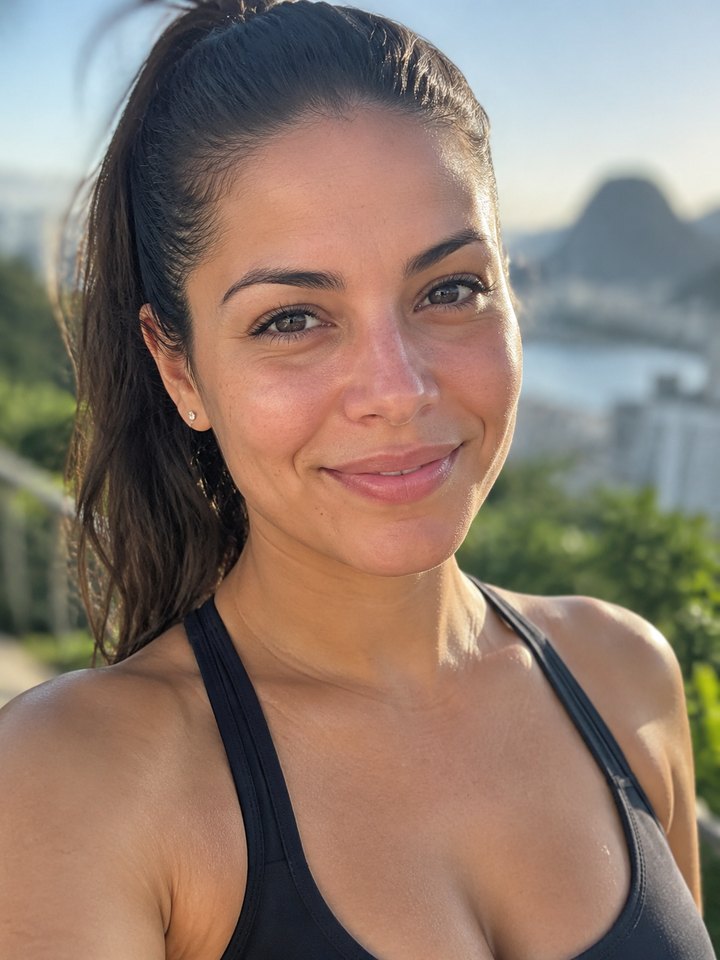
What it cost: the balance went from 3926 to 3916. Exactly the 10 credits for the face. The chat with Avi cost nothing.
What if you already have a photo of her face?
Then you skip Avi. Go to Characters. If you don't have anyone saved yet, the screen opens with the question "Who will appear in your videos?" and two cards.
The first is I already have the photo, with the text "Send the face. Costs no credits." You click Upload face photo, upload the image, give it a name and you're done: character created for 0 credits. The second card is Create with AI, with a text box and the price right on the button.
If you already have saved characters, that screen won't be empty: the button that opens both options is Create now.
Step 2: how do you link her to the AI Chat conversation?
Now go to AI Chat, in the same Create group. The screen opens with "WHAT ARE WE CREATING TODAY?" and the text field in the middle.
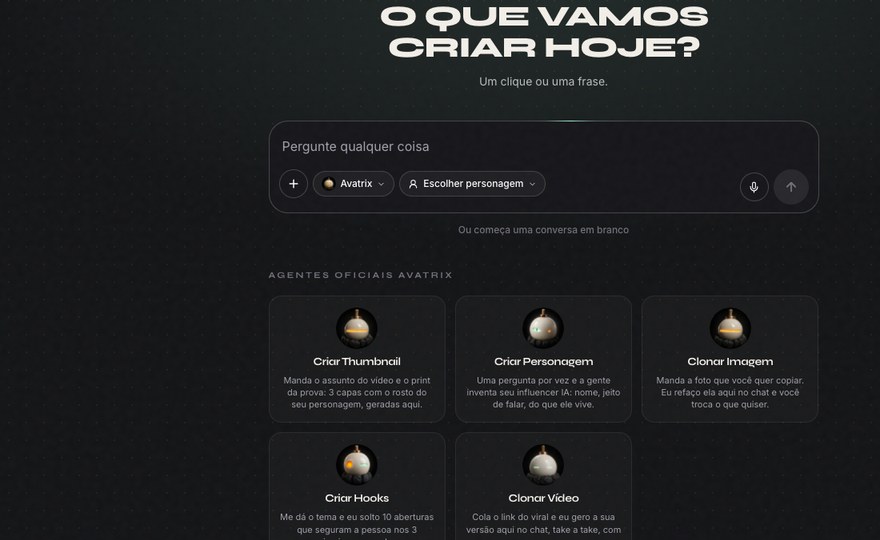
Notice the row of official agents below the field: Create Thumbnail, Create Character, Clone Image, Create Hooks and Clone Video. Each one is a shortcut to a whole task. For what we're doing here, you don't need any of them: a blank chat does the job.
What matters now is the Choose character chip, right there in the text field. Click it.
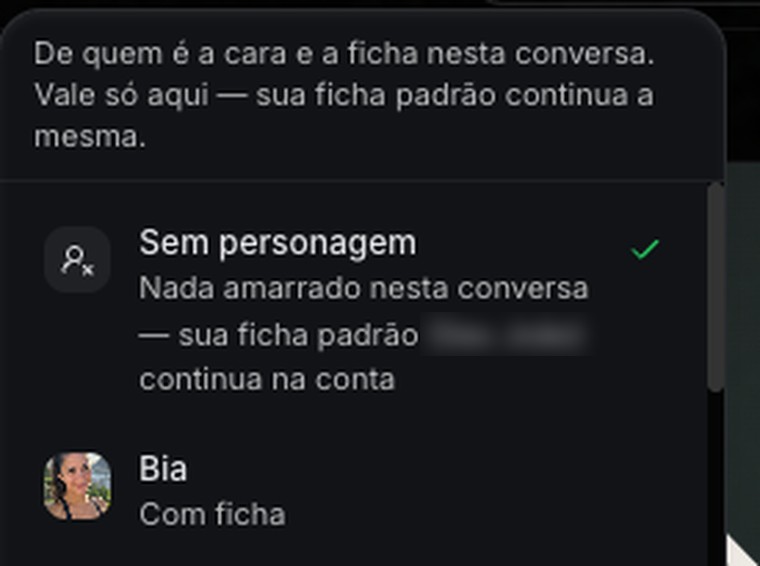
The menu explains what it does: "Whose face and profile this chat uses. Only applies here — your default profile stays the same." The first option is No character, followed by your list. Each one shows up as With profile or No profile — face only. Bia was there, with a profile, because Avi filled it in.
I picked her. The chip changed its label to Bia.
That click is what keeps the face from changing. From then on, every photo in the chat comes out with her face, and you never describe a face in the prompt again. If you don't pick anyone, the agent won't even propose photos of people: it stops and asks you to choose the face first.
Step 3: how does each feed photo come out?
The way to ask is the same for all three: you describe the scene, never the face. Where she is, what she's doing, what she's wearing, what light hits her. The agent already has the face.
I pasted the first prompt and sent it. The agent didn't generate anything right away: it rewrote my request as a technical prompt and built a card.
Look at what's on that card, because this is where you decide. At the top, the name of what it's going to make and the price: 3 credits. In the middle, the full prompt it wrote from my plain-language request. At the bottom, the chips AI Image 6 (the model in my test), 9:16 and 1K, plus Reference, Edit prompt and copy. And the button: Generate image · 3 credits.
The price always shows up before the click. If you're short on credits, the button changes to "You need N more credits · add". And if the prompt didn't come out the way you wanted, Edit prompt lets you change it right there, without sending a new message.
Photo 1: the profile photo
A mirror selfie. It's the least suspicious one and the one that will become the profile picture.
Make a selfie of her in her bedroom mirror, holding the phone at chest height, natural window light, workout clothes [swap: sports top and leggings / baggy T-shirt / pajamas], hair the way she woke up, natural skin with pores, no heavy makeup, phone photo, everything in focus, sharp bedroom background, no blur, nothing that looks like a studio photo.I clicked Generate image and waited less than a minute. The card changed state on its own.
Where the quote used to be, it now shows what was charged: 3 credits used. The photo stays right there in the chat, with Download and Share next to it. Generate another · 3 cr repeats the same request if you didn't like this one, and shows the price again before you click.
Notice two things that are easy to miss. The lock on Bia's face tag shows the photo was tied to the character, not to a loose face. And the PROMPT USED section, with copy below it, keeps the text that worked: that's how you repeat the same framing in another chat without starting from scratch.
The photo, full size:
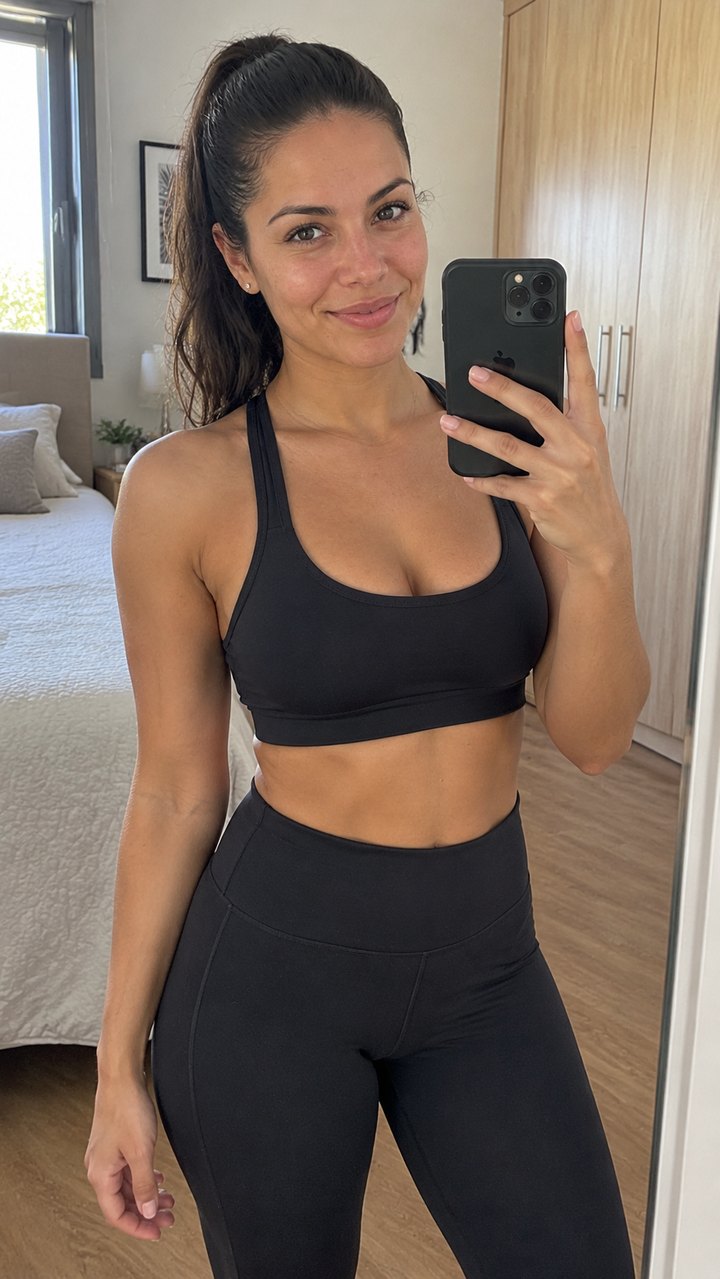
What to change: the outfit, to match the niche. What to notice: the bedroom behind her is in focus. That's not a detail: it's what makes the photo look like it came from a phone.
Photo 2: the routine photo
The one that proves she exists beyond the pretty picture. If the niche isn't fitness, swap the gym for a place in her routine: kitchen, desk, living room.
Make a photo of her at the gym as if a friend took it without warning, sitting on the bench between sets, looking at her phone, light sweat on her face, workout clothes [swap: color], water bottle next to her, gym lighting, equipment in focus in the background, ordinary phone photo, no posing, no background blur, real skin.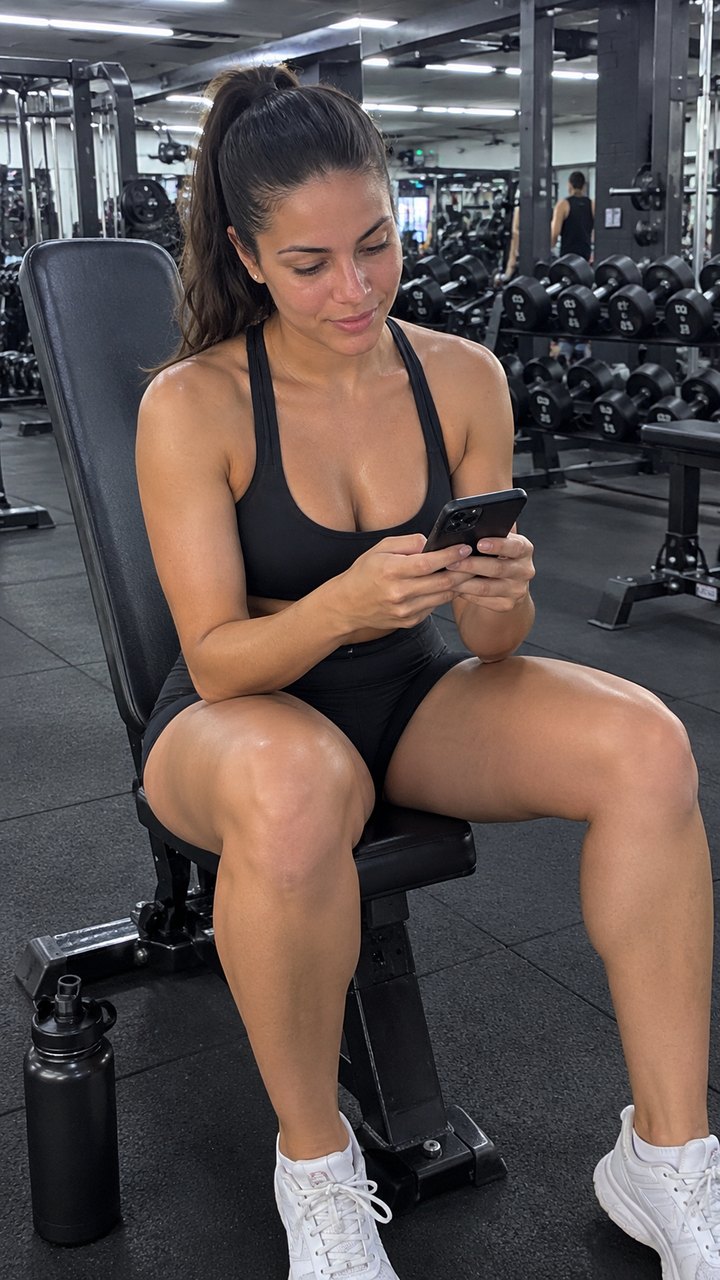
What to notice: she's not looking at the camera. That's what makes the photo feel caught in the moment instead of posed, and it's the effect the phrase "as if a friend took it without warning" has in the prompt.
Photo 3: the product photo
The commercial one. The key is a readable label and the gesture of someone recommending it to a friend, not posing for a campaign.
Make a photo of her at home holding [swap: the product — e.g., a tub of whey, a skincare kit, a book] at face height, showing it to the camera like she's recommending it to a friend, slight smile, window light, sharp kitchen or living room in the background, product label readable, phone photo, no studio, no blur, natural skin.On this one, the agent stopped and asked before building the card: "What's the brand name or the exact text that should be readable on the tub's label?" I said no brand, just the word WHEY. Then it built the card.
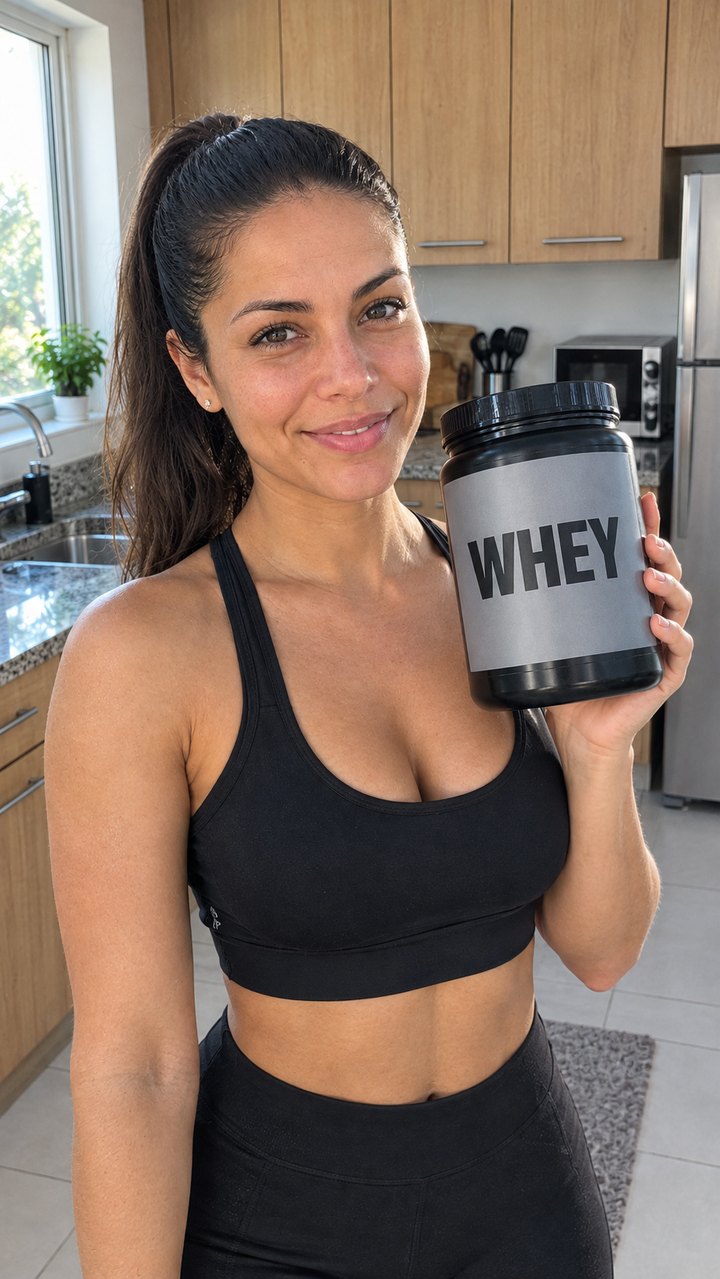
That's normal, and it's a good thing: when a detail that changes the photo is missing, it asks instead of making it up. Nothing gets generated before you click.
What gives away that a photo was made with AI?
Blurred background. It's the number one giveaway. Phone cameras have small sensors and keep the background in focus; the blur comes from the generator trying to make the photo pretty. That's why all three prompts above repeat "everything in focus, sharp background, no blur." If it still comes out blurry, ask for "background as sharp as the face."
Skin that's too smooth. Real skin has pores, a shiny forehead and imperfections. "Natural skin with pores" and "phone photo" fix it most of the time. If it still looks polished, add "no filter, no retouching, raw photo." The full list of signs is in how to create realistic photos with AI.
Campaign pose. It comes from professional-photography words in the request. Cut "beautiful," "perfect," "editorial" and "cinematic," and add "no posing."
The face changed. Here the cause is different: either the character wasn't selected in the chip, or you described a face in the prompt and created a conflict with the saved face. Check that the chip shows her name and remove any face description from the request.
How much did the whole feed cost?
Numbers from the test, measured from the balance before and after, not estimated:
| Step | Credits |
|---|---|
| Chat with Avi up to the button | 0 |
| Generate the face | 10 |
| Profile photo | 3 + chat |
| Routine photo | 3 + chat |
| Product photo | 3 + chat |
| Total (3926 → 3904) | 22 |
The chat charges half a credit per turn, and that shows up at the bottom of each reply. At 2K or 4K the photo costs more, and the price of that photo always appears on the button before you click. For Instagram, 1K is enough: the image ends up on a phone screen and also goes through the app's compression.
What should you do with the three photos now?
Set up the profile with them. The mirror selfie becomes the profile picture, the gym photo becomes the first post, and the product photo stays saved for the first post that sells something.
From there, it's repetition: the character stays saved, and every new AI Chat conversation that starts with her selected gives you back the same person. Three months from now, she'll still be her.
And once the profile is up and running, Avatrix can also schedule and publish for you. That lives in Autopilot, and it's a topic for another guide.
Next step
If you already have an account, log in and make the face first: Create my influencer.
If you don't have one yet, create yours here and come back to this guide with the menu open beside it.
Frequently asked questions
In this guide's test, 10 credits for the face. The chat with Avi up to the button cost nothing: the balance went from 3926 to 3916, exactly the 10 credits for the generation. If you already have a face photo, you can create the character for 0 credits in Characters, through the I already have the photo option.
3 credits per photo at 9:16 and 1K quality, which is what the button showed in the test. The chat also charges half a credit per conversation turn. This guide's whole feed, with the face and the three photos, cost 22 credits from start to finish.
Because an account with a single photo doesn't pass as a real person. The three cover the minimum: the profile photo shows who she is, the routine photo proves she exists outside a studio, and the product photo is the commercial one. Without the routine photo, the account looks like a catalog.
Choose the character in the Choose character chip before you ask for the photo. The face comes from the saved character, not from what you write. That's why the prompt only describes the scene: where she is, what she's doing, what she's wearing and what light hits her.
A blurred background is the biggest giveaway, because phone cameras have small sensors and keep the background in focus. Next come overly smooth skin and ad-campaign poses. The three prompts in this guide already ask for the opposite: everything in focus, skin with pores and no studio look.
The photo stays in your account, and you can download it and post it wherever you want. Avatrix's terms of use, in section 6, Intellectual Property, state that the User retains ownership of their Inputs and Outputs.