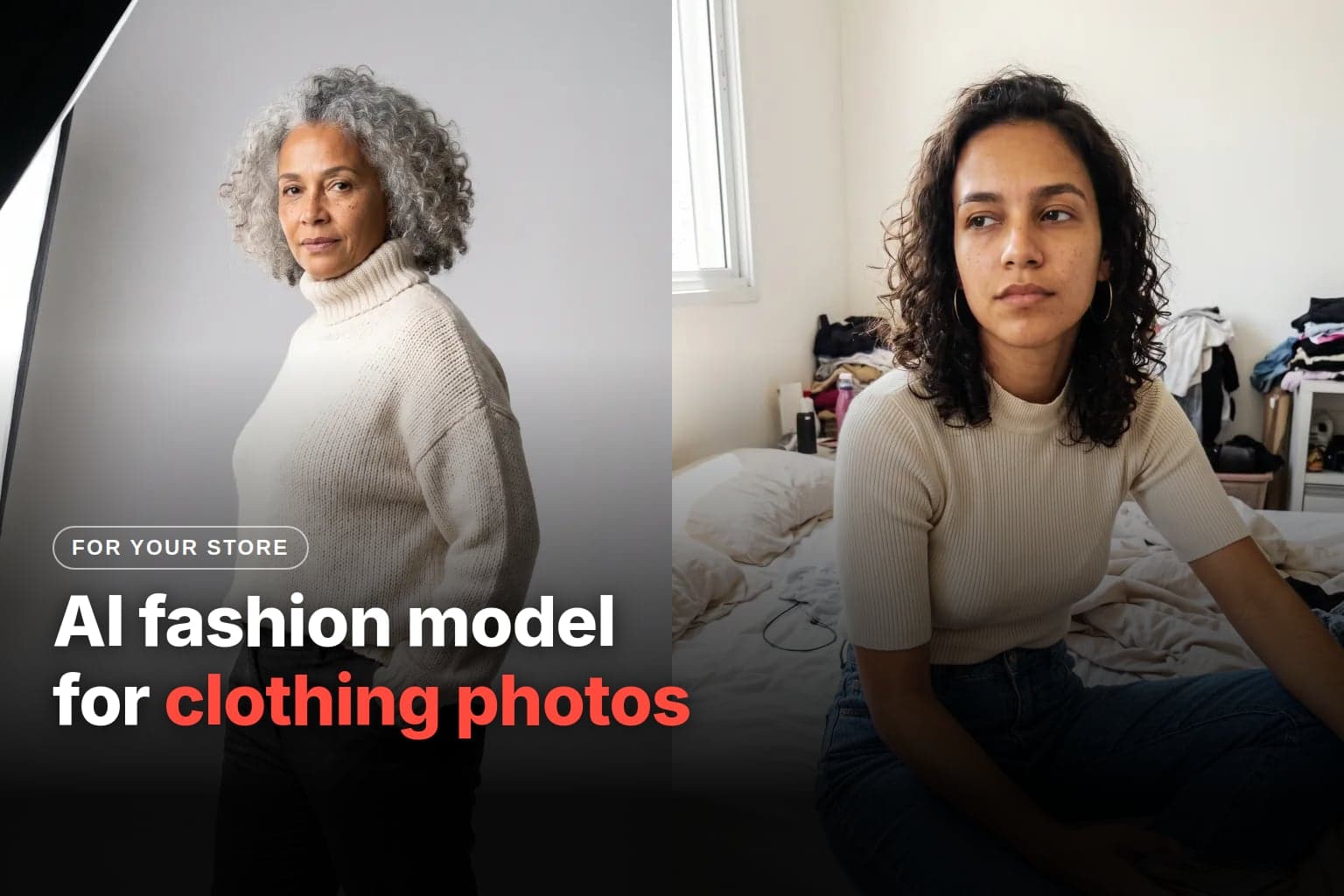
You can use an AI fashion model in clothing photos, as long as the garment in the photo is the garment the customer receives: same color, print, length, and finish. It pays off if you launch a lot of pieces and can't afford a photo shoot for every collection. It doesn't when detail or drape decides the sale, or for the main image on a marketplace that requires a real photo.
When does an AI fashion model make sense for clothing photos?
It makes sense when the number of pieces makes photo shoots expensive and the garment is simple to reproduce. To decide, compare the cost per garment both ways.
How much does a traditional clothing photo shoot cost?
For reference, these are the published prices of a studio in São Paulo, Brazil, in Brazilian reais (R$). Your local studio will charge something else: ask for a per-garment and a half-day quote and run the same math.
| Service | Published price (Brazil, in R$) | Source |
|---|---|---|
| White-background product shot | R$18 to R$25 per image, depending on volume | Estúdio Fábrica, São Paulo |
| Invisible (ghost) mannequin | R$53 (front) to R$120 (front, 45°, and back) per garment | Estúdio Fábrica |
| Studio lookbook with a model | R$1,250 per half-day, up to 40 looks and 4 photos per look, model's fee not included | Estúdio Fábrica |
| E-commerce model fee | R$300 to R$800 per hour | Fórum Model |
| Clothing on an invisible mannequin, Brazil average | R$25 to R$60 per photo | Cronoshare, January 2026 |
Prices checked on October 29, 2026. The studio notes that its prices may change without notice, and Cronoshare says the range is an estimate based on quotes submitted on its platform.
For a brand launching 30 pieces a month, front and back on an invisible mannequin come to 30 × R$80 = R$2,400 at that studio. With a model, the R$1,250 half-day covers all 30 pieces, and 4 hours of model fees add R$1,200 to R$3,200. There's one more detail in the studio's price list: image rights for a model from its casting last 1 year, for website and social media.
How much does it cost with AI?
On Avatrix, a generation on the Reference model costs 18 credits at 1K and 20 at 2K, as shown in the realistic photos guide. Plans are monthly, in US dollars, and paid by card; extra credit packs are a one-time card payment with no subscription, and those credits don't expire. Each plan's price, and so the price per credit, is on the pricing page.
The number that matters is per usable photo, not per generation. If each good photo takes 4 attempts at 2K, that's 80 credits. For the same 30 pieces, with 3 on-model photos each, that's 7,200 credits. Multiply by your plan's price per credit and compare it with your studio's quote.
The 4 attempts are an assumption to make the math work. The real number depends on the garment. And two costs don't go away: you still photograph the real garment, and someone checks every photo against it.
When doesn't it make sense?
It depends on the type of garment:
| Garment type | AI model? | Why |
|---|---|---|
| Plain basics (T-shirt, tank top, sweatshirt) | Yes | Little detail to get wrong |
| Placement print, lace, embroidery, sheer fabric | Only in additional photos, with checking | The generator may redraw the detail, and any difference becomes a mismatch |
| Tailoring and denim | Carefully | They sell on fit; AI shows a body, not how your size S fits |
| Underwear and swimwear | Check the category | On Mercado Livre (Brazil), main image on a real model or transparent mannequin, with nothing around it; on Amazon, kids' items are shot flat, without a model |
| Baby clothes | Not in the main image | On Mercado Livre (Brazil), the main image has no model and no mannequin |
Two cases outside the table: without the garment in hand, there's nothing to compare the result to; and with few pieces a month, a half-day studio session may cover the whole collection with less risk.
What are the methods for dressing an AI fashion model?
There are three, and garment accuracy drops in the same order:
| Method | How it works | Garment accuracy | Where to use it |
|---|---|---|---|
| Real photo on a mannequin + AI | You photograph the real garment; AI removes the background, erases the mannequin, and upscales | High: the garment is the photo | Main listing image |
| Generate the model and dress her | You create a fixed model and generate photos with the garment photo attached as a reference | Medium: check piece by piece | Additional photos and social media |
| Virtual try-on | A dedicated tool takes the garment and the person and puts one on the other | Depends on the tool | Gallery and video |
Try-on has already reached marketplaces. Mercado Livre, in Brazil, has generative AI in its image editor that creates, for example, a blouse worn on a model's body, and more than 1 million images had been created with it, according to the company's engineering director speaking to Mobile Time in September 2025.
Is a customer-facing virtual try-on the same thing?
No. In the seller's try-on, you dress a model in the garment to make the photo. In the customer's try-on, shoppers see the product on their own body through the phone camera: Mercado Livre offers this for lipstick, according to the same report. This guide covers the first one.
What do Shopee, Mercado Livre, and Amazon say about AI-generated photos?
On the pages checked on October 29, 2026, none of the three bans AI outright. All three require photos that are true to the product, and the main-image rules change what you can do with an AI model. The pages cited are the Brazilian ones: if you sell elsewhere, check your marketplace's version.
| Marketplace | Accuracy | Main fashion image | AI in the rules |
|---|---|---|---|
| Shopee (Brazil) | An unfaithful or manipulated image is misleading advertising | We found no rule on models | No AI-specific rule for photos in Brazil |
| Mercado Livre (Brazil) | 4 to 10 photos per variation, no text, logo, watermark, or measurements | Real model or transparent mannequin; baby clothes with neither | Its own AI to generate missing images |
| Amazon (Brazil guide) | True scale, quantity, and color | Pure white background; adult clothing on a standing model; no mannequin | Required metadata tag if the person is AI-generated |
What does Shopee require?
The article on misleading advertising in Shopee Brazil's Seller Education Center includes in that concept the "use of images that are not faithful, manipulated, or that may suggest characteristics different from the real product," and advises: "Images must be clear and faithful to the product." A listing like that can result in penalties and bans (Shopee Brazil, article dated January 26, 2026).
On Shopee Video, Shopee Brazil's community guidelines prohibit content that doesn't match the product shown (Help Center). We didn't find an AI-specific rule for listing photos in Brazil. In Singapore, Shopee has required an AI label on videos since August 1, 2026, and prohibits altering color, size, material, shape, weight, or design beyond what's in the listing (Shopee Singapore).
What does Mercado Livre require in Brazil?
Its fashion requirement pages ask that the main photo of each variation of tops, bottoms, dresses and jumpsuits, and underwear and swimwear use "a real model or transparent mannequin" (tops). Baby clothes go "without using a real model or transparent mannequin" (baby clothes). The same pages ask for 4 to 10 photos per variation, vertical format with an ideal size of 1200 x 1540 pixels, no watermark, text, or logo, and measurements in the size guide, not in the photo.
For the gallery, Mercado Livre itself says you "can generate the missing images with our artificial intelligence." The safest reading, and this is our recommendation, not a written rule: the real garment on a transparent mannequin as the main image and the AI model in the additional photos. Photos outside the standard can be moderated with the poor_quality_thumbnail flag, according to the developer documentation (Image moderations).
What does Amazon require?
The Seller Central image guide, marked as valid for selling in Brazil, asks that the main image represent the product as a realistic, professional-quality image, with true scale, quantity, and color, a pure white background (RGB 255, 255, 255), and the product filling 85% of the frame. Adult clothing goes on a standing model, and no part of a mannequin may show. Kids' underwear, leotards, and swimwear are shot flat, without a model (Amazon Seller Central). If you sell on another Amazon marketplace, check the same guide in your Seller Central.
Then there's the AI rule. If the image shows a photorealistic person generated entirely by AI, the file must carry the keyword contains-synthetic-performer in the dc:subject (XMP) field, added with an IPTC-compatible metadata editor. With it, Amazon shows a notice that the image contains an AI-generated person, where applicable. A real person retouched with AI doesn't get the tag.
On a computer, ExifTool, a free metadata program, does this in one line. It keeps a copy of the original file with "_original" in the name:
exiftool -XMP-dc:Subject+=contains-synthetic-performer photo.jpgWhat's the risk if the garment in the photo doesn't match the real one?
The risk is that the photo becomes a promise. If you sell in Brazil, the Consumer Defense Code (Law No. 8,078/1990, at the Chamber of Deputies) has six articles that matter here:
| Article | What it says | In practice |
|---|---|---|
| Art. 30 | Sufficiently precise information, published through any medium, binds the supplier and becomes part of the contract | The listing photo is part of what you sold |
| Art. 31 | The offer must state characteristics, qualities, and composition correctly, clearly, and precisely | Color, fabric, and fit have to match |
| Art. 35 | If the offer isn't honored, the consumer chooses: forced performance, another equivalent product, or cancellation with a refund plus damages | The customer picks the remedy |
| Art. 37, § 1 | Advertising capable of misleading about characteristics and quality is deceptive, even by omission | A photo that changes or hides the garment falls here |
| Art. 18 | The supplier is liable for defects, including a mismatch with the advertising; if not fixed within 30 days, the customer gets a replacement, a refund, or a price reduction | A garment different from the listing counts as a defect |
| Art. 49 | A purchase made outside a physical store can be canceled within 7 days, with an immediate refund | Applies even with an accurate photo; an inaccurate one just adds a reason |
Add marketplace penalties and bad reviews on top of that. This guide isn't legal advice: for a specific case, talk to a lawyer. If you sell in other countries, check their consumer laws too.
How do you make clothing photos with an AI model, step by step?
- Photograph the real garment. Front, back, fabric detail, and label, in window light, ironed, on a hanger or mannequin. It's your reference and your proof of what you sold.
- Clean up the background. In Avatrix's Remove Background (5 credits), download the garment on a transparent or white background.
- Create your brand's fixed model in Create Influencer, as in the first-feed guide, and save her in Characters. Use an AI-generated face or the face of someone who has authorized it in writing.
- Generate the on-model photo. In Create Image, choose the Reference model, attach the garment photo and the model's face (up to 4 images), and paste the prompt with the accuracy lock.
- Check the format. Mercado Livre (Brazil) asks for vertical, ideally 1200 x 1540 pixels. Request 3:4 and check the file: in the realistic photos guide's test in June 2026, only 9:16, 1:1, and 16:9 came out in the requested ratio. If it comes out wrong, generate at 9:16 with room at the top and bottom, then crop.
- Compare with the real garment, side by side and zoomed in, using the checklist in the next section.
- Fix or discard. A small detail can be fixed in Edit Image (18 credits): paint over the area and describe the fix. A wrong print or length needs a new generation.
- Upscale if needed. 4K Upscale, from 2 credits per megapixel, enlarges 2x or 4x. On Amazon, zoom kicks in from 1,000 pixels on the longest side.
- Build the gallery by each marketplace's rules and flag AI wherever the platform asks for it.
Catalog prompt (image 1 is the garment, image 2 is the face):
Image 1: the real garment. Image 2: the model's face. Dress the model in the garment from image 1 without changing anything about it: same color, same print in the same position and scale, same fabric, same length, same collar, same buttons and seams. Full-body catalog photo, model standing, facing the camera, arms relaxed, plain light-gray background. Soft light from a large window on the left, camera at chest height, 50mm lens. Sharp fabric with natural folds, skin with pores, no retouching, no accessories that don't come with the garment.Lifestyle photo prompt (for the gallery and social media):
Image 1: the real garment. Image 2: the model's face. The model wears the garment from image 1 exactly as it is, walking down a tree-lined sidewalk in the morning. Phone photo taken by a friend, full body, side sunlight, tree shadows on the ground. Garment color identical to image 1, no warm filter that shifts the tone.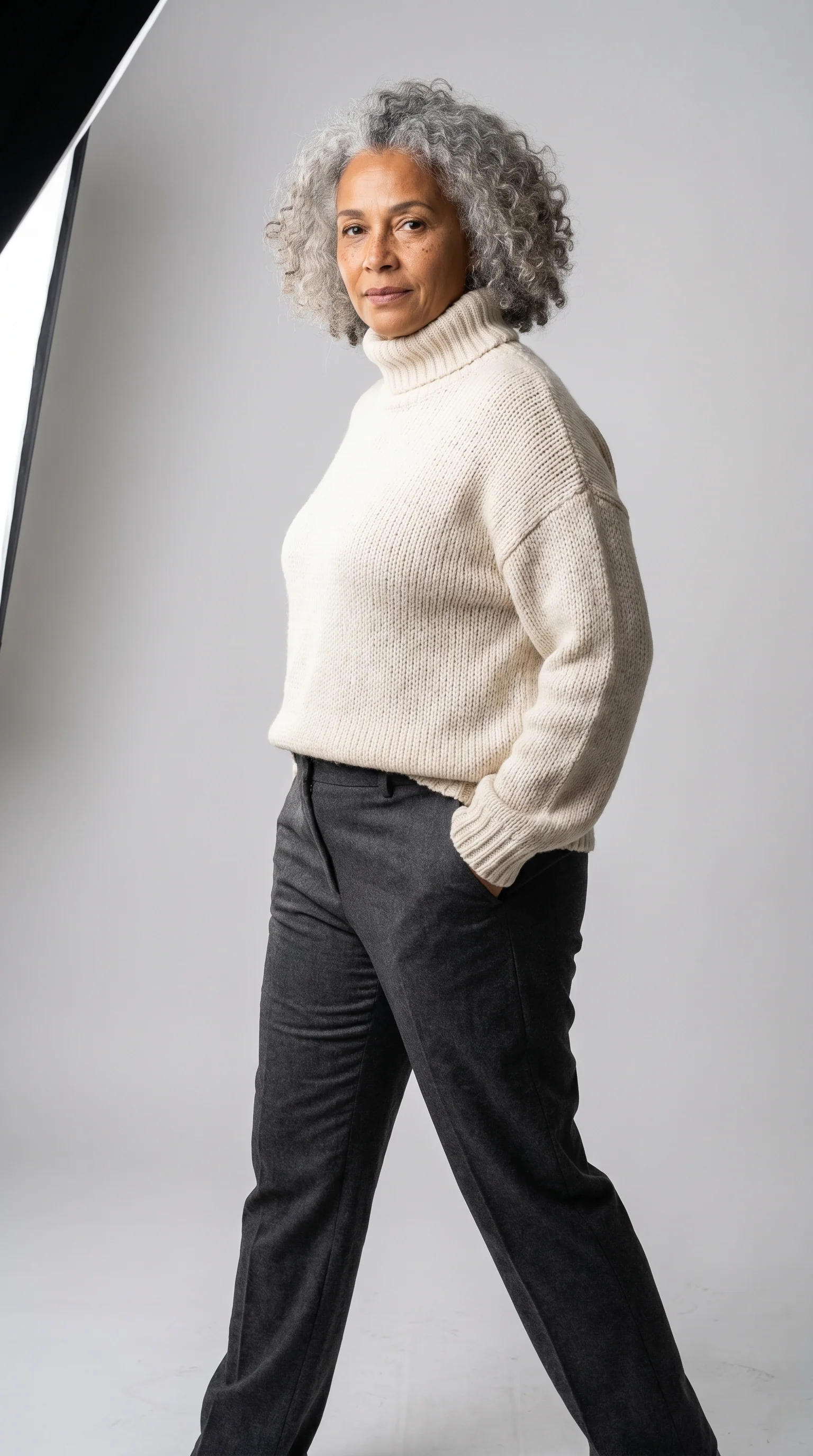
For detail shots, use the real photo from step 1: an AI-generated fabric close-up can invent the weave, and a real photo doesn't. To vary lighting, lens, and angle, the AI influencer prompt library has 44 ready-made scenes.
How do you check a photo before publishing?
Compare each photo with the real photo of the garment, not from memory:
- Color matches the garment, viewed on the same screen.
- Print in the same position and scale; stripes with the same spacing.
- Length of sleeve, hem, and waist at the same point on the body.
- Finish: collar, neckline, pockets, buttons, and zipper in the same number and place.
- Branding: no invented logo, no label with scrambled letters.
- Fabric with sheerness, sheen, and weave consistent with the garment.
- Body: five fingers per hand, nothing fused with the clothes, whole feet.
- Accessories: nothing in the frame that doesn't come with the order.
- Format and background follow the marketplace's rules.
- Detail shots of the fabric are real photos.
- Amazon:
contains-synthetic-performerin the file when the person was AI-generated. - Measurements in the size chart, not in the photo.
- Real photo of the garment saved with the listing, for any dispute.
What does Avatrix actually do for clothing photos?
Avatrix doesn't have a dedicated photo try-on tool. It has the pieces to build the workflow and a video try-on, in beta. Costs from the pricing table, checked on October 29, 2026:
| You need to | Tool | Cost | Good to know |
|---|---|---|---|
| Remove the garment's background | Remove Background | 5 credits | Download as transparent, white, black, or blurred |
| Upscale the photo | 4K Upscale | From 2 credits per megapixel | 2x or 4x |
| Create the fixed model | Create Influencer or Characters | From 10 credits; 0 with your own photo | A real person's face only with authorization |
| Put the garment on her in a photo | Create Image, with up to 4 references | 18 credits at 1K and 20 at 2K on the Reference model | Not a dedicated try-on: check every photo |
| Fix a detail | Edit Image | 18 credits | Brush over the area and describe the fix |
| Move the dressed model to another setting | Character Swap | 18 credits | Keeps the face, body, and clothes from the model image |
| Try-on video | Marketing Studio (beta, check whether it shows in your menu), "Try-on: try the outfit on" mode | Price shown on the button before generating | Garment photo required; video up to 15 s, at 480p or 720p |
| Large batch | API v1, POST /generate/image with referenceImages | Same credits | Requires someone who codes or an automation like n8n |
The try-on video works for Shopee Video, Reels, and TikTok Shop, with each platform's AI label.
What it can't do:
- Customer-facing try-on. Shoppers can't upload their own photo to your store.
- Simulate sizing. AI doesn't know how an S fits differently from an L.
- Guarantee an identical print. Checking is on you, photo by photo.
- Tag AI in the file. Avatrix doesn't write
contains-synthetic-performer: add it before uploading to Amazon, using the command in the Amazon section. - Publish to the marketplace. Uploading to Shopee, Mercado Livre, Amazon, or any other marketplace is up to you.
Where should you start?
Pick a simple, solid-color garment and run the whole flow: real photo, background, model, on-model photo, and checklist. If it passes, repeat with the collection.
Frequently asked questions
Carefully, in the main image. Mercado Livre's fashion requirement pages in Brazil ask for a real model or a transparent mannequin in the main photo of each variation of tops, bottoms, dresses, and underwear and swimwear. Mercado Livre itself offers AI in the photo section to generate missing gallery images. The safest route is the real garment on a transparent mannequin as the main image and the AI model in the additional photos, always true to the garment.
We found no ban on AI in listing photos in Shopee Brazil's Seller Education Center, checked on October 29, 2026. What exists is the misleading advertising rule: an image that isn't faithful, is manipulated, or suggests characteristics different from the real product can lead to penalties and bans.
The image guide valid for selling in Brazil doesn't prohibit it, but it asks for two things. The photo must represent the product accurately, including scale and color. And if it shows a photorealistic AI-generated person, the file must carry the keyword contains-synthetic-performer in the dc:subject (XMP) metadata field. In the main image, adult clothing goes on a standing model, with no mannequin. If you sell on another Amazon marketplace, check the same guide in your Seller Central.
In Brazil, under the Consumer Defense Code, sufficiently precise information in an offer binds the supplier and becomes part of the contract (art. 30). If the garment doesn't match the listing, the customer can demand what was advertised, accept another equivalent product, or cancel the purchase with a refund (art. 35). For purchases made outside a physical store, they also have 7 days to withdraw (art. 49). And the marketplace can penalize the listing. If you sell in other countries, check their consumer laws too.
It has a video try-on in Marketing Studio, which is in beta and may not appear in every account's menu. It uses the garment photo, which is required, and an avatar to generate a vertical video of up to 15 seconds. For listing photos, the route is Create Image with the garment photo and the model's face attached. Avatrix has no try-on for end customers to test clothes on their own photo, and it doesn't simulate sizing.
Each generation on the Reference model costs 18 credits at 1K and 20 at 2K. Remove Background costs 5 credits, and 4K Upscale starts at 2 credits per megapixel. Plans are monthly, in US dollars, paid by card; extra credit packs are a one-time card payment with no subscription, and those credits don't expire. There's no free trial. Current prices are at avatrix.io/pricing. Plan on more than one attempt per usable photo, since each one has to match the real garment.