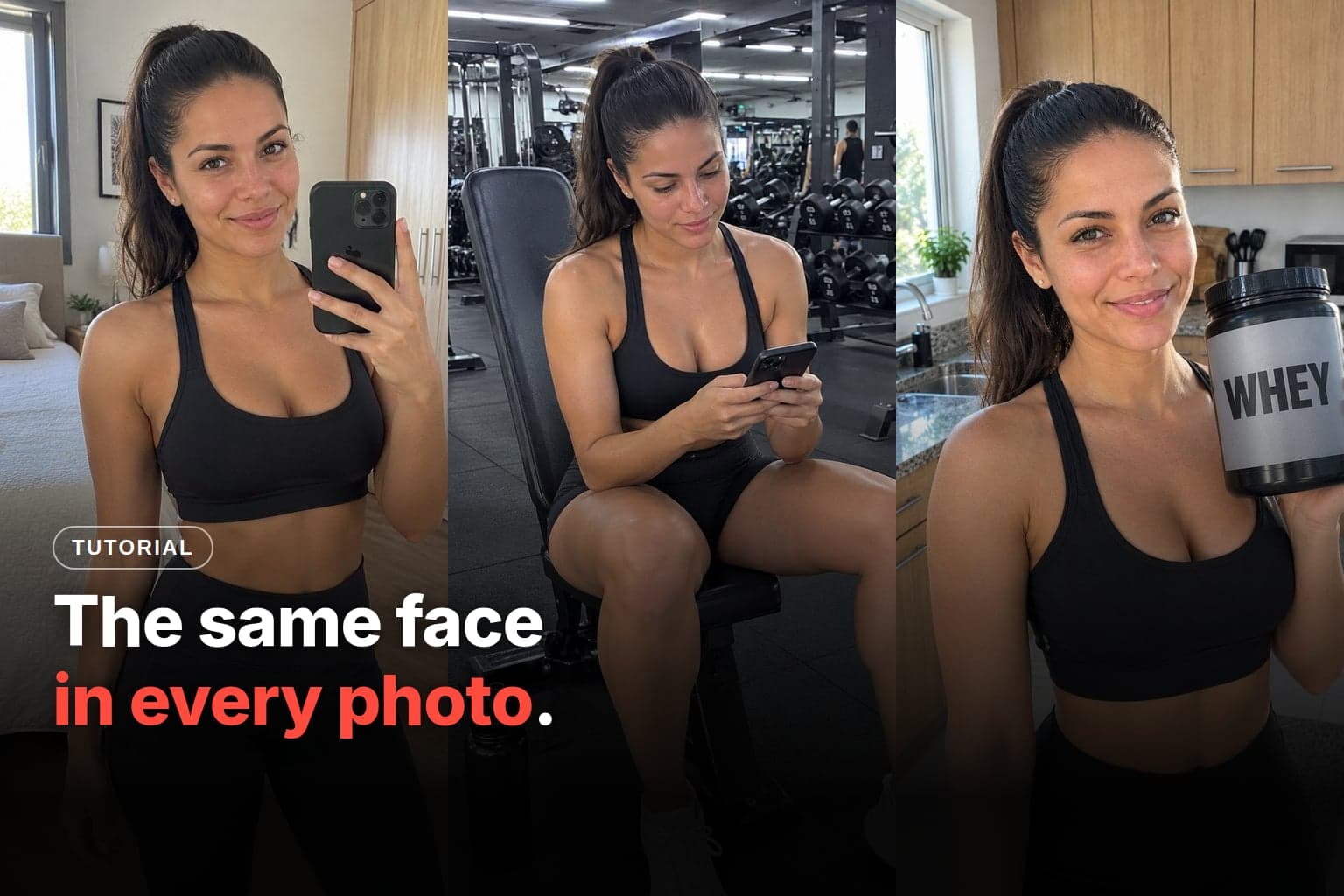
To keep the same face with AI, give the model a fixed anchor in every generation: the same reference image, a saved character, a trained LoRA or a face swap on top of the scene. No method holds it 100% on its own, because the face drifts over long sequences, and details like moles, tattoos and age slip first. That's why every workflow that works ends with a check.
This guide is from the Avatrix team. The methods apply to any tool, and the Avatrix section only uses what its tutorials already show.
Why does AI change the character's face with every generation?
Because the model doesn't remember who your character is. Each image is born again, from noise and the prompt text, and "24-year-old woman, curly hair, freckles" describes thousands of different faces. Without a visual anchor, each generation picks one of them at random.
What changes from one method to the next is the anchor. It can be an image the model copies, a character the platform stores, a LoRA that learned that face or a swap done afterward. Text helps, but on its own it doesn't hold identity.
What are the methods to keep the same face?
| Method | Where it exists | What it needs | Strength | Weakness |
|---|---|---|---|---|
| Reference image | Newer image models, Avatrix | 1 good photo of the face | Fast, no training | Drifts over long sequences |
| Midjourney reference | --oref (V7) and Edit Model (V8.2) | 1 image in V7, up to 4 in V8.2 | Strong aesthetic | 3 versions since 2024 |
| Saved character | OpenArt, HeyGen, Higgsfield, Avatrix | 1 photo or a description | Reuse without attaching anything | Doesn't guarantee an identical face |
| Trained LoRA | Open models via API, Leonardo Elements, Soul ID | 10 to 80 photos | The firmest for photos | Needs consistent photos first |
| Face swap | Character Swap and Motion Transfer (Avatrix) | Face and scene ready | Keeps the scene intact | Edges, lighting and profile give it away |
The methods stack. The most common workflow starts with a reference image, saves the character once it's approved and only moves to a LoRA when the volume justifies it.
How do you keep the face with a reference image?
You attach a photo of the character to every generation and ask the model to keep the identity. It's the fastest method, needs no training, and one good reference already works.
Newer models accept more than one. Some blend up to 14 reference images and keep the resemblance of up to 5 people, but even they don't always get it right.
Three rules make the difference:
- The identity instruction comes first in the prompt. Avatrix's realistic photo guide puts the reference instruction before the scene, because the model edits on top of the attached photo.
- Describe the scene, not the face. A face description that doesn't match the photo fights the reference and pulls in another person. If you need to reinforce it, repeat 2 or 3 standout features, always with the same words.
- Always go back to the anchor. Don't use the last generated photo as the reference for the next one, because the error accumulates, like a copy of a copy. Reattach the base photo every 5 to 8 generations.
Pro: cheap, fast, works with 1 photo. Con: drifts little by little and depends on you remembering to attach it.
How do you use Midjourney's --cref, --oref and Edit Model?
In Midjourney, the way to keep a character has already gone through three versions, and many tutorials still teach the first one:
- V6, with
--cref. Character Reference, launched on March 12, 2024, uses--crefwith the image link and the--cwweight, from 0 to 100. At 100, it copies face, hair and clothing; at 0, only the face. The announcement already warned that it wasn't designed for real people and doesn't copy dimples, freckles or T-shirt logos. Source: Midjourney - V7, with
--oref. Omni Reference, from May 1, 2025, takes one image and uses the--owweight, with a default of 100 and a maximum of 1000. The suggestion is something like--ow 400to keep face and clothing, without going higher for no reason, because quality can drop. Source: Midjourney - V8.2, with the Edit Model. In testing since August 27, 2026, it generates from up to 4 reference images and replaces Omni Reference. On Discord, the command is
--edit. Source: Midjourney
In practice, give the Edit Model more than one angle of the same anchor, such as front and three-quarter. And don't switch versions mid-production: the same request comes out different in each model.
When is it worth training a face LoRA?
When you already have consistent photos of the character and you're going to generate at volume. A LoRA is a small file trained on photos of the same person, and a trigger word in the prompt calls up that face without attaching anything.
What the tools ask for:
- Leonardo's Elements: at least 10 images. The help page warns that a close-up-only set gets body and height wrong, and that overtraining makes the model stop following the prompt. Source: Leonardo
- Higgsfield's Soul ID: 20 to 80 well-lit photos, with varied angles and expressions, at least one full-body shot and no sunglasses or heavy shadows. Source: Higgsfield
- Your own LoRA on an open image model: training it on an API platform costs a few dollars, and each generated image costs a few cents.
Here's the chicken-and-egg problem. For an invented character, the training photos come from another method, and Higgsfield's own help page advises generating the portraits first and training afterward. A LoRA doesn't replace the reference image: it comes after it.
Pro: the firmest face, with nothing to attach, paying only for what you use. Con: needs a good photo set, a new training run when the look changes and some technical skill.
Does face swap solve the face?
It does when the scene is already done and only the face is wrong. The swap keeps body, clothing, background and lighting and puts the character's face in place. It doesn't create a new scene.
On Avatrix, there are two tools:
- Character Swap, for images: you send the character image and the scene image, and the tool fits the character in, matching perspective and lighting. It costs 18 credits per use, according to the pricing page on October 29, 2026.
- Motion Transfer, in Swap person mode, for video: it swaps a person in a 4- to 30-second video for your character. The camera, the setting and the other people stay as they were, as the guide to the new AI influencer creator shows.
What gives away a bad swap:
- a seam along the jaw and the hairline;
- light on the face coming from one side and the scene's light from the other;
- a skin tone that doesn't match the neck;
- a face in profile or with a hand in front of it.
That's why the swap prompt in the realistic photo guide asks for the same light direction, the same depth of field and the same grain as the scene.
Is a tool with saved characters better?
It's simpler, not necessarily more faithful. The platform stores the character, and you call it up without attaching anything:
- OpenArt: the character is created from an image, a text or presets and works for both image and video. OpenArt's own blog warns that the feature doesn't guarantee an identical face or outfit in every result.
- HeyGen: a new look generated from the base look changes clothing and setting and keeps the person recognizable. The documentation warns that any detail you don't ask for gets invented.
- Higgsfield: the character from the AI Influencer studio is saved as an element and enters scenes with @, according to the Higgsfield blog.
- Avatrix: the character lives in Characters and enters the AI Chat through the Choose character chip.
Under the hood, it's a reference the platform stores for you. In HeyGen, the documentation says the look's image guides the generation; in Avatrix, the face comes from the saved character, not from the text. That's why the same rules apply: don't describe the face in the prompt, and check the result.
How do you keep the same face in Avatrix?
The flow below brings together what Avatrix's tutorials already show, screen by screen:
- Create the anchor. In Create Influencer, generate the Reference Image. It comes out smooth and studio-like, and that's expected: it's the anchor, not the feed photo. The step-by-step is in the Lia influencer guide.
- Attach before generating. In the Prompt tab, use "+ Attach reference" (up to 4 images) and check that the thumbnail showed up. In the guide, the generation without the attached reference came out as a different person.
- Change only the scene. Reuse the same realism prompt and change only the scene line. The face isn't in the text; it's in the reference.
- Always reattach the same one. If the face changes over a long sequence, upload the same base photo again. In Workflow, the realistic photo guide recommends reattaching it every 5 to 8 generations.
- Or save the character. In Characters, the "I already have the photo" option creates the character from a face without spending credits. In AI Chat, the "Choose character" chip ties the face to the conversation, and you describe only the scene, as in the AI Chat guide.
- Take it to video through the right photo. In UGC Video, the video inherits the face from the photo. In Motion Transfer, the character enters a video that already exists. In both, the input photo needs a neutral pose, empty hands and a clean background.
How do you keep the same face in video?
The video inherits the face from the input photo, so consistency in video starts with the photo. Three precautions cover most of it:
- A clean input photo. In the Lia guide, a phone in front of the body turned into a floating blur in the video. Swapping only the photo, for one with a neutral pose and empty hands, fixed it.
- A character sheet. Avatrix's character creator delivers, for 8 credits, a sheet with the face up close and the full body from the front, the side and the back. The creator guide points to this sheet as what keeps the character the same from one video to the next.
- Features visible from a distance. In a full-body video, anything that only shows up close, like eye color, disappears. And the outfit on the sheet is the outfit that will appear in the video.
After generating, check the moments when the character turns sideways or touches her face. That's where identity tends to slip.
What else goes wrong with the face, and how do you fix it?
Why does the face change little by little?
Because each generation brings small differences, and they add up when a generated photo becomes the reference for the next one. The fix is to always go back to the same anchor and repeat the standout features with the same words. The realistic photo guide warns that changing a single color word between one photo and the next is enough to make the face slip.
Why do hands come out wrong near the face?
A hand touching the face or holding an object near it is a classic error spot: an extra finger, a hand fused into the chin, a melted phone. In production photos, keep hands away from the face. In the photo that becomes a video, empty hands.
Why does lighting seem to change the face?
Hard side lighting changes the apparent shape of the face, and warm light pulls the skin toward orange. Comparing a late-afternoon photo with one in white light is misleading. When you check, compare under similar light. In a face swap, ask for the same light direction as the scene.
Why does the character look older or younger?
The model tends to beautify: it slims the face, smooths the skin and shifts the age. That's why the prompts in the realistic photo guide include "do not change age" and "do not slim the face." Put the age as a number in the prompt and check the apparent age in every batch.
Why do moles and tattoos switch sides or disappear?
Small, asymmetric details are the first to slip. Midjourney itself warned that character reference doesn't copy freckles or dimples. Three precautions help:
- Choose large, simple marks. A highly detailed tattoo tends to change design from one generation to the next.
- Write down the side. "Mole on her left cheek" in the prompt, always the same.
- Remember the mirror. In a mirror selfie, the photo shows the reflection, and the mole appears on the other side of the image. That's correct. In a regular photo, a mole that switched sides is an error.
How do you check whether the face matches?
Before posting, put the new photo next to the anchor, at the same size, and go through this list:
- Face and jaw shape.
- Eyes: distance between them, shape and color.
- Eyebrows: thickness and arch.
- Nose: width and tip.
- Mouth and teeth, including a crooked smile or a gap between the teeth, if she has one.
- Hairline, part and color.
- Marks on the right side: mole, freckles, scar and tattoo, with the mirror rule.
- Apparent age in the same range as the anchor.
- Skin tone, compared under similar light.
- Body: height and shoulders consistent with the other photos.
- Hands: five fingers and nothing fused into the face or the product.
- Fixed accessories: earrings, glasses and piercings.
Three tests complete the list:
- The 6-angle test, before volume: generate the character from the front, at three-quarters, in profile, full body, in warm light and in cool light. If the face passes all 6, the method works.
- The grid test: look at the last 9 photos side by side, at Instagram grid size. That's how followers see it.
- The fresh-eyes test: show 3 photos to someone who hasn't seen them and ask whether it's the same person. If they hesitate, redo them.
Can I use a real person's face?
Only your own, or the face of someone who authorized it in writing. The rules change from country to country. In New York, for example, section 50 of the Civil Rights Law makes it a misdemeanor to use a living person's name, picture or voice for advertising or trade without their written consent. In Brazil, under article 20 of the Civil Code, commercial use of someone's image without authorization can be prohibited and lead to damages.
The tools enforce this too. Synthesia only creates a personal avatar with a live consent video of the same person, and Higgsfield's help page asks only for photos of yourself or of someone who gave permission. An invented character doesn't have this problem, but realistic AI-made content needs a label on TikTok and YouTube.
Which method should you choose for your character?
Start with the reference image, because it's the foundation for the others: without a good anchor, no LoRA or saved character will fix it. Once the character passes the 6-angle test, save it or train a LoRA, depending on the volume. And check every photo before you post.
How to choose the tool, with prices and free plans, is covered in our roundup of the best AI tools to create a virtual influencer. If you want to run this whole flow in one place, Avatrix brings Reference Image, Characters and video together in the same account. Create my character.
Frequently asked questions
Give the model the same anchor in every generation: the same attached reference image, a saved character or a LoRA trained on photos of the person. In the prompt, describe only the scene, not the face. And go back to the base photo every few generations, because the face drifts over a long sequence.
It depends on the tool. Leonardo's Elements asks for at least 10 images, and Higgsfield's Soul ID asks for 20 to 80. In any of them, vary angle, expression and lighting, avoid sunglasses and heavy shadows, and include full-body shots, or the model gets body and height wrong.
--cref belongs to version 6 and became a legacy feature. In V7, the replacement is Omni Reference (--oref), which takes one image and uses the --ow weight up to 1000. In V8.2, the Edit Model, in testing since August 27, 2026, generates from up to 4 reference images and replaces Omni Reference.
Because each generation brings small differences, and they add up when you use the last generated image as the reference for the next one. Always go back to the same base photo, reattach it every 5 to 8 generations and repeat the 2 or 3 standout features with the same words in every prompt.
Yes. The video inherits the face from the input photo, so the photo needs to be clean: neutral pose, empty hands and a simple background. Another route is swapping a person in an existing video for your character. Check the moments when she turns sideways or touches her face, which is where identity tends to slip.
Only with written permission, and the rules vary by country. In New York, using a living person's name, picture or voice for advertising or trade without their written consent is a misdemeanor. In Brazil, article 20 of the Civil Code lets a person forbid commercial use of their image without authorization and claim damages. The tools enforce it too: Synthesia requires a live consent video, and Higgsfield asks only for photos of yourself or of someone who gave permission.